

TutorialsWordPressWooCommerce
WooCommerce vs Shopify: which is the best ecommerce platform for you
Aug 07, 2026
By Jordana A. & Astari S
/
16 min Read
When discussing the best eCommerce platforms, people often mention WooCommerce and Shopify
Shopify is a fully hosted platform with all-in-one eCommerce functionality for selling products and services. On the other hand, WooCommerce is a self-hosted plugin for WordPress that offers great flexibility for creating any type of store
This article will compare the two eCommerce platforms in detail, from their ease of use and eCommerce features to costs and scalability. We’ll compile the insights to help you choose the best option for your business
Download checklist: How to start an online business
Let’s start by comparing WooCommerce to Shopify:
| WooCommerce | Shopify | |
| Ease of Use | Non-WordPress users may need more time to get used to the interface and tools. | Offers an intuitive interface that’s easy enough for new users to navigate. |
| eCommerce Features | Comes with basic built-in eCommerce features and various extension options. | Accessible features vary based on your pricing plan. |
| Cost | The plugin is free, but you need to cover hosting, domain, and any extensions you buy. Cost estimation: starts at $7.98/month | Four pricing plans are available, along with paid apps. Cost estimation: starts at $40.25/month |
| Themes and Customizability | Thousands of WordPress and WooCommerce themes, both official and third-party, are customizable to varying degrees. | Has over 200 official templates, along with third-party options. However, further customization options are limited. |
| Plugins and Extensions | Over 850 WooCommerce extensions and 59,000 WordPress plugins to scale your online store. | Over 8,000 apps are available in the Shopify App Store. |
| Shipping and Payment Gateways | Includes basic shipping and payment settings. Plugins and extensions offer additional features. | Provides extensive shipping and payment options. Install apps for extra features. |
| Marketing and SEO | Basic marketing features with versatile built-in SEO customization. Plugins offer additional functionality. | Extensive built-in marketing tools with apps for advanced features. SEO features are available but with limited customization. |
| Security | The user is responsible for their website security. Choosing secure hosting, installing security plugins, updating software, and doing regular maintenance are essential. | Shopify takes care of website security tasks. |
| Customer Support | Relies on WooCommerce and WordPress documentation, community forums, and plugin and theme support. Paid support services are also available. | Provides 24/7 support via phone, email, and live chat. Community forums and a help center are also available for self-help. |
When creating an eCommerce website, think about each platform’s user-friendliness, from setting up your store to adding your products. Choose a platform that matches your skill level to reduce the learning curve
If you’re already familiar with WordPress, WooCommerce will be a breeze to use. Otherwise, you’ll need to learn how to create a WordPress site before installing the plugin
As a self-hosted platform, WordPress runs on your chosen web hosting and domain name. For this reason, the ease of setting up WordPress and WooCommerce heavily relies on your hosting provider
For example, Hostinger simplifies the process for non-technical users with a custom onboarding flow
After buying our WooCommerce hosting plan, the onboarding flow will guide you through the WordPress installation process. You can create an empty website or install the recommended plugins and themes based on the chosen website type
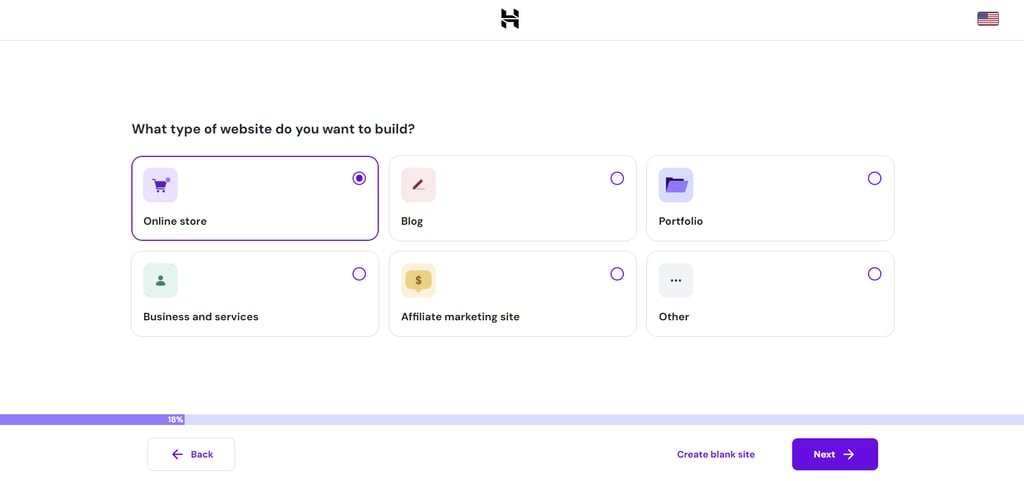
Once you have a WordPress website, set up your WooCommerce store just as easily with the help of the pre-installed Hostinger Easy Onboarding plugin
Head to Hostinger→ Onboardingfrom the WordPress dashboard and hit Set up an online store
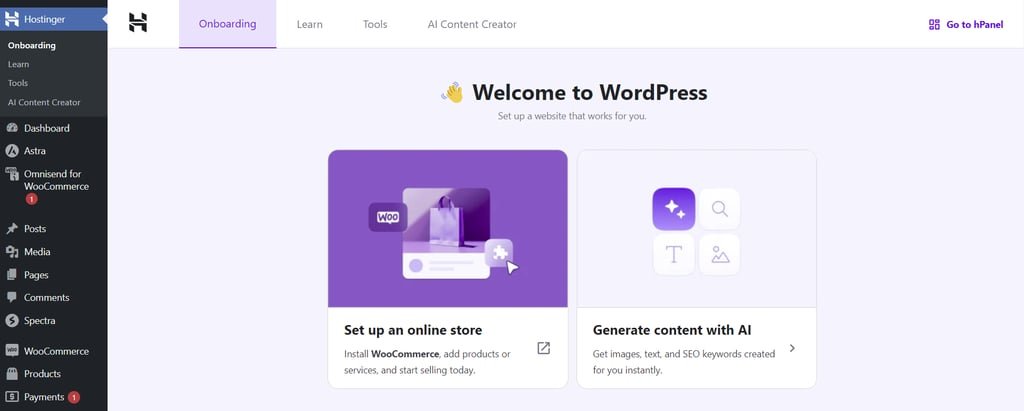
You’ll see a checklist of the tasks you need to complete to launch an online store. If you have no experience in eCommerce, this feature ensures you configure all the important elements correctly for a successful online business
With AI-generated product descriptions, adding new products is easier and faster. Simply input keywords relevant to each product and decide on the description’s length and tone of voice. You can tweak the copy to personalize it further, saving you time instead of writing from scratch
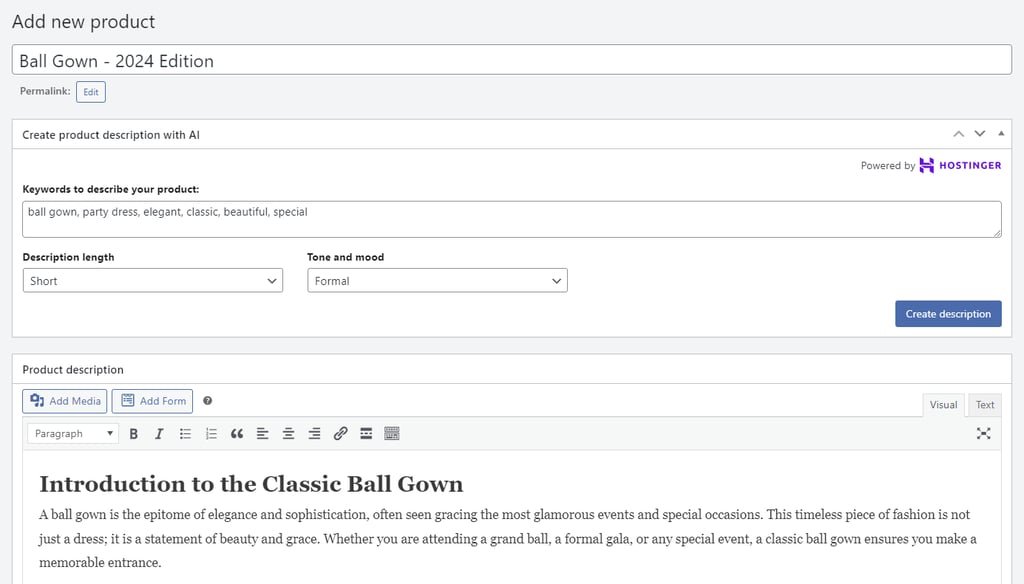
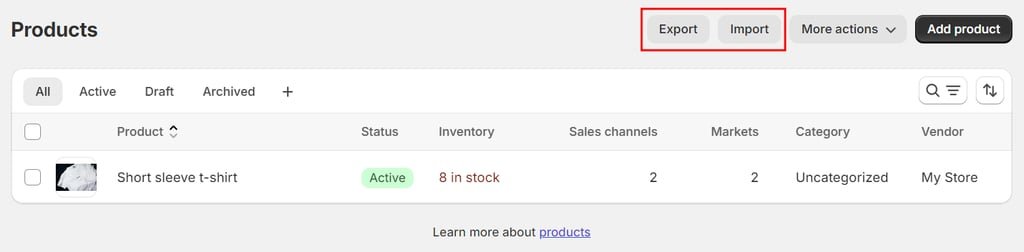
The Productspage comes with a built-in import-export tool, which is convenient for moving your product listings from and to another platform in bulk
Hostinger makes setting up payment gateways, shipping methods, and email campaigns more convenient by redirecting you to popular plugins and extensions. We provide more insights under the Plugins and Extensions section
Overall, setting up WordPress and WooCommerce with Hostinger doesn’t require technical skills. What’s more, your website automatically goes live after configuring WordPress, making your online presence visible without additional steps
If your store isn’t ready to receive traffic just yet, Hostinger’s WordPress maintenance mode can temporarily hide its content from visitors. Go to Hostinger→ Toolsfrom your WordPress dashboard and toggle on the Maintenance mode option
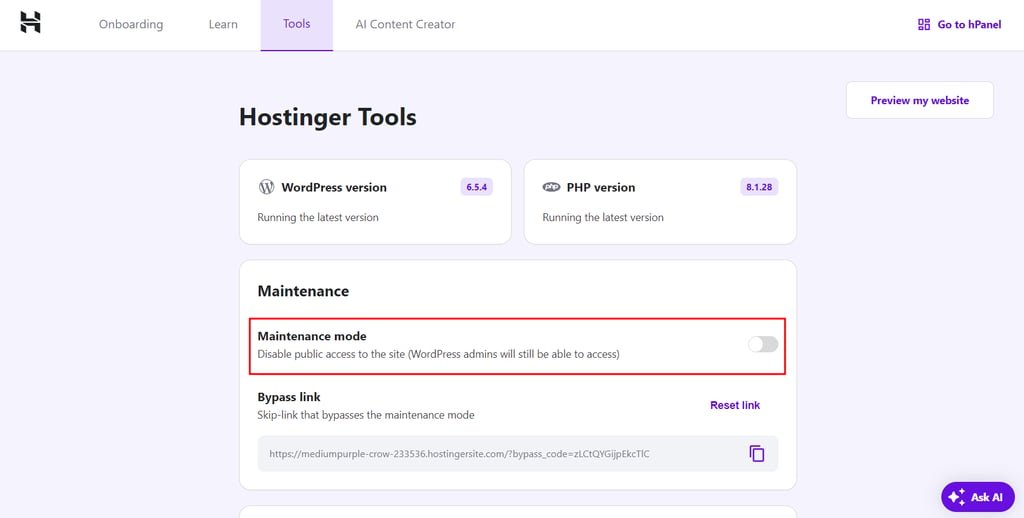
Non-Hostinger users can enable this mode using a WordPress maintenance plugin, which is also code-free
Shopify is a dedicated eCommerce platform that bundles hosting and a branded subdomain with its pricing plans, so you don’t have to buy them separately. If you want to use a custom domain for better branding, either buy it from the platform or connect it from a third-party domain registrar
The Setup guide provides tips on preparing your Shopify website, from choosing the store name to customizing the design
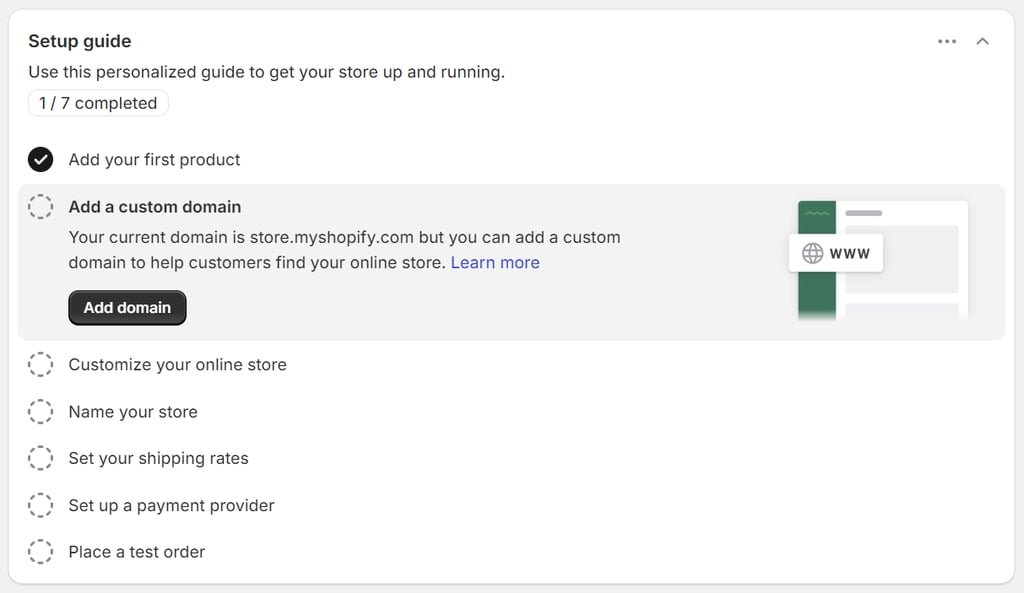
Shopify integrates AI into its product addition process to help you with product descriptions. Like WooCommerce, the Shopify dashboard also features an import and export tool for easier product management
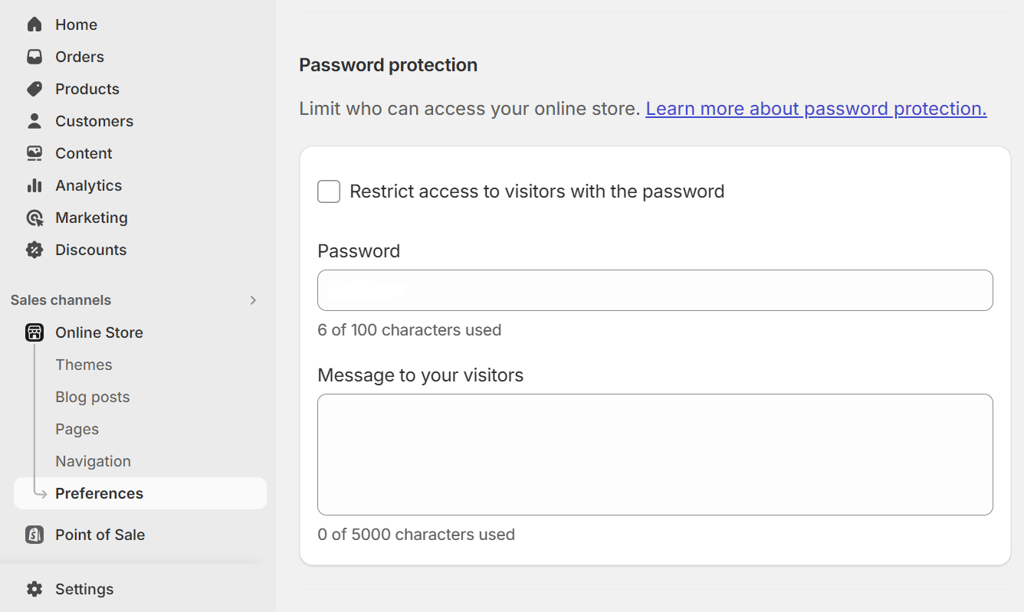
Unlike WooCommerce, Shopify keeps your website password-protected until it’s ready to launch. To make your Shopify store accessible to visitors, manually remove the password from the Themesor Preferencespage
Functionality is a key difference between WooCommerce as a content management system (CMS) and Shopify as an eCommerce solution. Consider how each platform’s features can meet your long-term business needs
As the most popular WordPress eCommerce plugin, WooCommerce supports various product types. You can easily sell anything from physical items to downloadables and affiliate products without needing a separate plugin. Use categories and tags to organize large product inventories more efficiently
The order management functionality automatically lists every incoming order. To add orders manually, head to WooCommerce→ Orders→ Add order. The preview feature makes checking individual orders and changing statuses easier
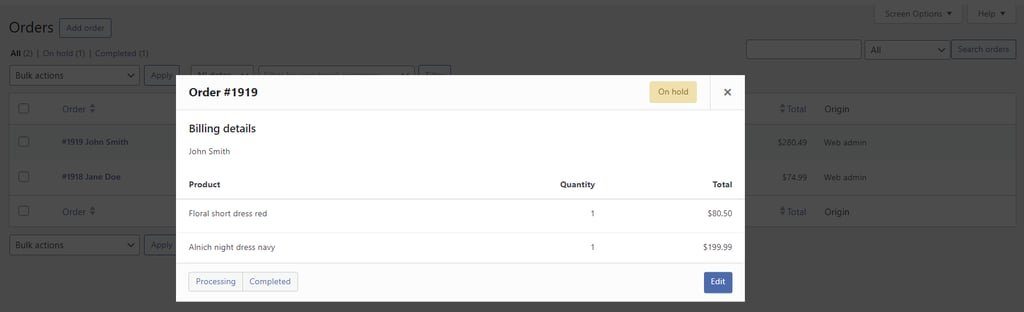
When you start receiving orders, you can easily track your store’s sales and other metrics like taxes and stock with built-in analytics features. For more accurate tracking, configure the tool to display data based on order status
Other noteworthy eCommerce functions include customer management and sales reports, which are useful for understanding your customer base and identifying trends in your business. Pair them with WordPress’s user roles and permissions to create exclusivity and drive sales
That said, WooCommerce’s built-in features are ideal for small to medium-sized businesses with straightforward eCommerce needs. Advanced features like point-of-sale solutions, subscription options, and multi-warehouse inventory management require plugins and extensions
Designed specifically for eCommerce, Shopify offers powerful built-in features to support various business models
For example, Shopify simplifies multi-channel selling by synchronizing inventory across multiple online marketplaces and social media platforms. All pricing plans include this feature, so you don’t have to install separate Shopify apps
One of the supported sales channels is point-of-sale systems for in-person transactions. Shopify POS Lite supports merchants selling at pop-ups and markets. However, advanced features for physical stores cost an additional $89/month fee
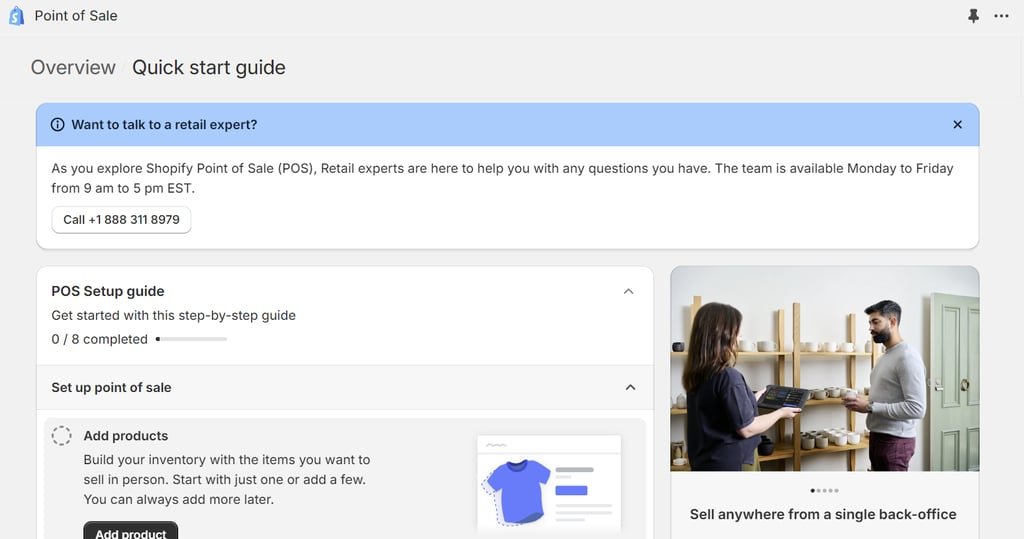
Like WooCommerce, Shopify also offers analytics tools for better decision-making. You can track a wide range of parameters, such as average order value (AOV), sessions by device type and location, and sell-through rate
Shopify’s user roles and permissions aren’t as flexible as WooCommerce’s to customize. However, it lets you create customer segments to identify your target market’s interests and spending habits
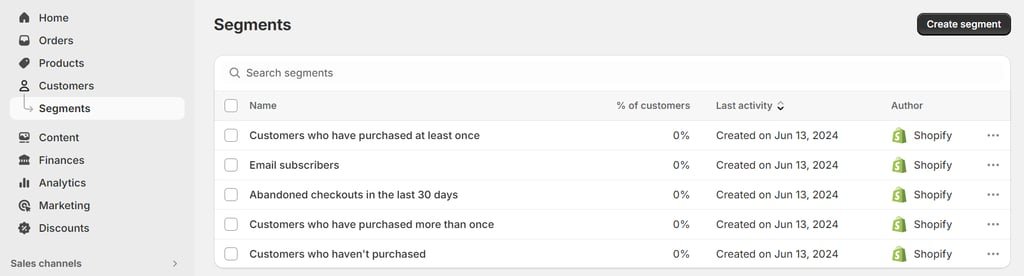
Overall, Shopify’s basic features work well for small to medium online stores with in-person presence. Keep in mind that the range of eCommerce features available will depend on the purchased pricing plan
Taking store development costs into account helps keep your startup budget in check. Here’s how much it costs to build a store on WooCommerce and Shopify
Since WooCommerce is a freeplugin, the main costs you need to cover are web hosting and a domain name. For the best value, choose a hosting provider that bundles hosting with a free domain
For $9.99/month, Hostinger’s WooCommerce Cloud Startup hosting plan provides everything needed for most WooCommerce stores. Buying the annual plan gets you a free one-year domain registration, an SSL certificate for building trust with customers, and an email account for professional branding
As a WordPress.org recommended web host, Hostinger ensures optimal performance with an in-house content delivery network (CDN), a 99.9% uptime guarantee, and advanced security measures. Our global data centers reduce load times for your customers around the world
Take advantage of our 30-day money-back guarantee to test our hosting features
If you want more hosting options, browse our list of the best WooCommerce hosting providers with detailed comparisons of features and pricing
Other costs to consider include premium WooCommerce extensions and themes, starting at $29/year and $49/year, respectively. You can easily reduce these costs by using free or lower-cost plugin alternatives
Shopify’s core pricing plans start at $39/month, with up to 25% off for annual subscriptions. However, the lowest-tier plan ‒ Basic‒ targets solo entrepreneurs. For companies, the platform suggests opting for the Shopifyplan at $105/month or $948/year
This plan includes up to five staff accounts and features like customer segmentation, standard analytics, and standard checkout capacity to handle multiple checkouts simultaneously. Overall, it suits businesses with low to medium-level web traffic
Once your business grows, you can upgrade to the Advancedplan for $399/month or $3,588/year. Designed for large-scale businesses, this plan includes up to 15 staff accounts and advanced features like custom reports and analytics, 10x checkout capacity, and enhanced live chat support
To scale up beyond the core plans, upgrade to Shopify Plus for $2,300/month on a three-year term. This plan caters to industry leaders with multi-location inventories, extremely high web traffic, physical stores, or a B2B business model
Keep in mind that these pricing plans exclude the $89/month fee for setting up Shopify POS Pro per location
Since Shopify only provides a branded subdomain, you need to factor in the domain registration fee. Getting a .com domain from the platform costs $15/year. You can try securing a better deal on a third-party domain registrar and connect the domain to your Shopify store for free
Additional fees include premium themes, ranging from $140 to $400, and paid apps starting at $5/month
An eCommerce website’s design helps shape customers’ first impressions of your brand and the overall shopping experience. Choosing an eCommerce platform with lots of templates and customization options makes creating a visually appealing online store easier
This eCommerce platform offers 91 niche themes, including three free options, on the WooCommerce Marketplace
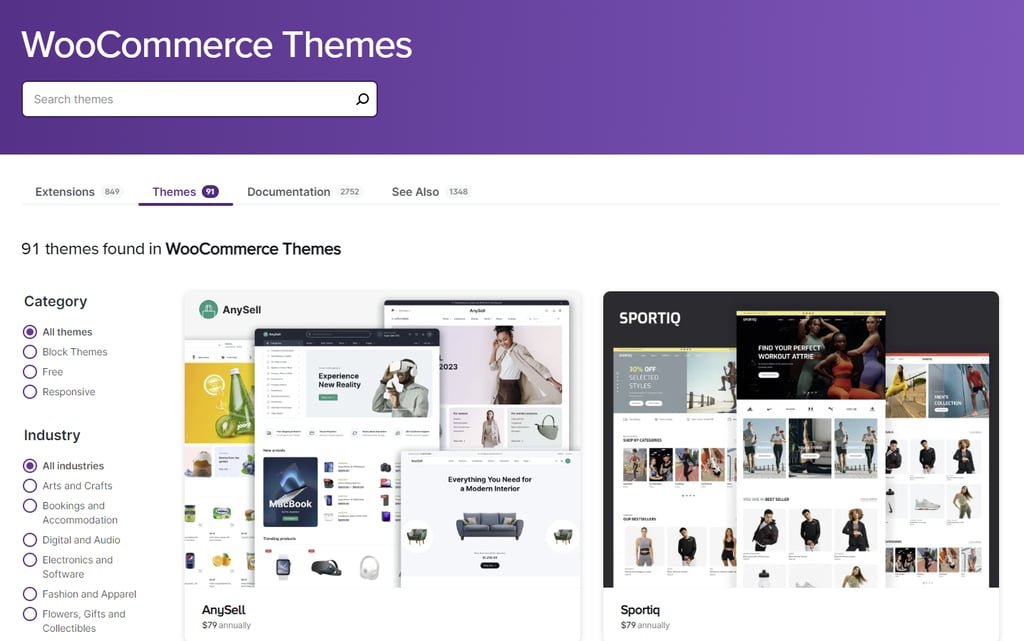
The WordPress theme directory, containing over 12,000 themes, offers more free options to help new users get started. Meanwhile, premium options are available at varying prices on commercial marketplaces like ThemeForest and CodeCanyon
Check out our best WooCommerce themes to enhance your store’s appearance
As an open-arious methods. The easiest one is using the built-in theme customizer to make basic changes to your store’s design
Various WordPress page builder plugins, like Beaver Builder and WPBakery, offer a drag-and-drop editor and pre-built elements for code-free customization. Having many available options lets you choose the one that suits your needs and budget
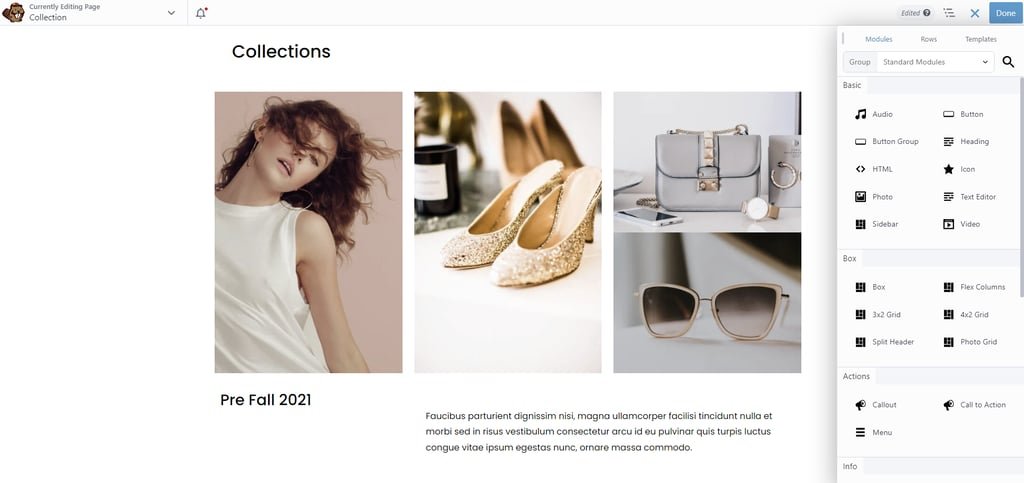
If you know how to code, you can directly modify a theme’s files using a code editor. WordPress lets users access and modify their website’s backend using a file manager from the web host. This method enables advanced modifications to create any desired look for your WooCommerce store
The Shopify Theme Store offers 203 themes to choose from, 13 of which are free. All Shopify themes are compatible with the platform’s latest version
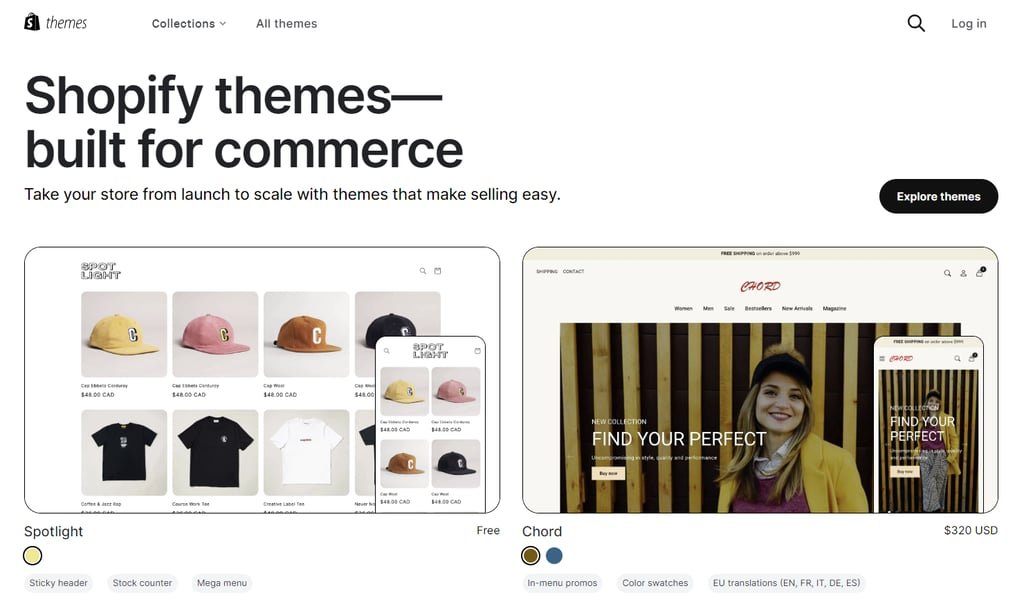
To change the theme’s design, go to Online Store → Themesand select Customize. The built-in theme editor comes with drag-and-drop functionality and block elements, so you don’t need to code
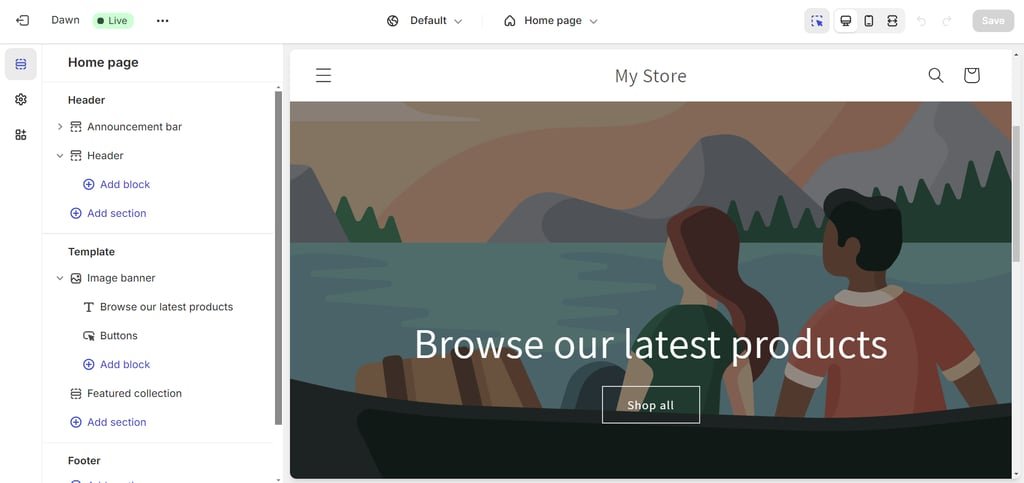
That said, you can still access the theme’s stylesheet (CSS) to personalize the design further. Open Theme settings on the theme editor’s left sidebar and paste your custom code there. Select a section before adding the code to modify that part only
As a closed-s back end. You’re restricted to the customization options in the theme editor. Furthermore, custom CSS needs to follow Shopify’s code requirements for it to work
Consequently, there isn’t much you can do to change your theme’s design
Plugins and extensions are great for extending your eCommerce store’s functionality. Choosing an eCommerce platform with a large plugin library can help scale your store as needed. Remember to consider the plugins’ ease of use and pricing for long-term sustainability
Over 800 official extensions and 59,000 plugins are available at different prices on the WooCommerce Marketplace and WordPress plugin directory. Third-party marketplaces like CodeGrape and CodeCanyon also sell plugins with different functions
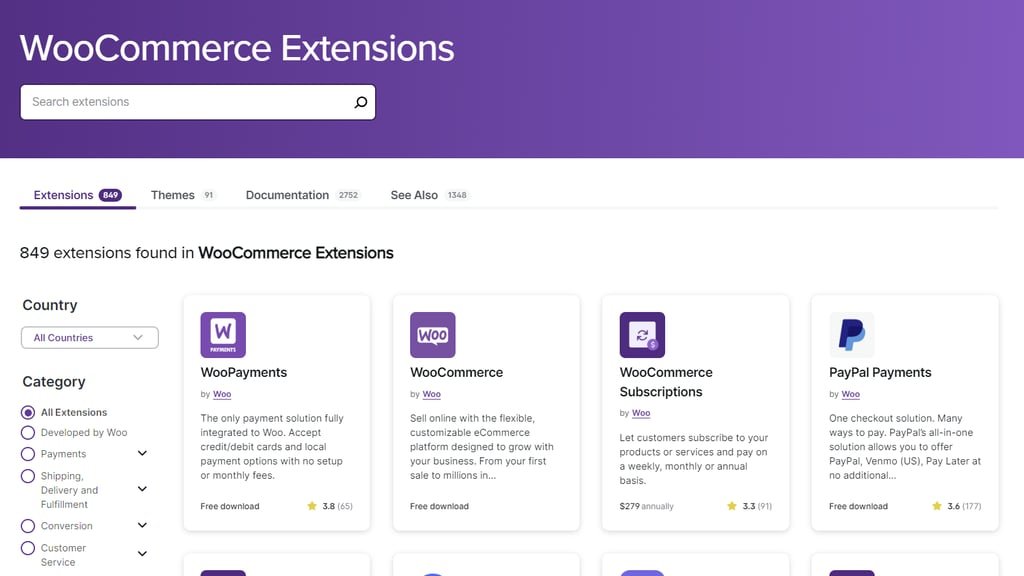
The plugin installation process is also relatively straightforward, even for third-party plugins. We even wrote a guide for beginners on installing WordPress plugins using four different methods. Hostinger users can even install plugins in bulk during website setup
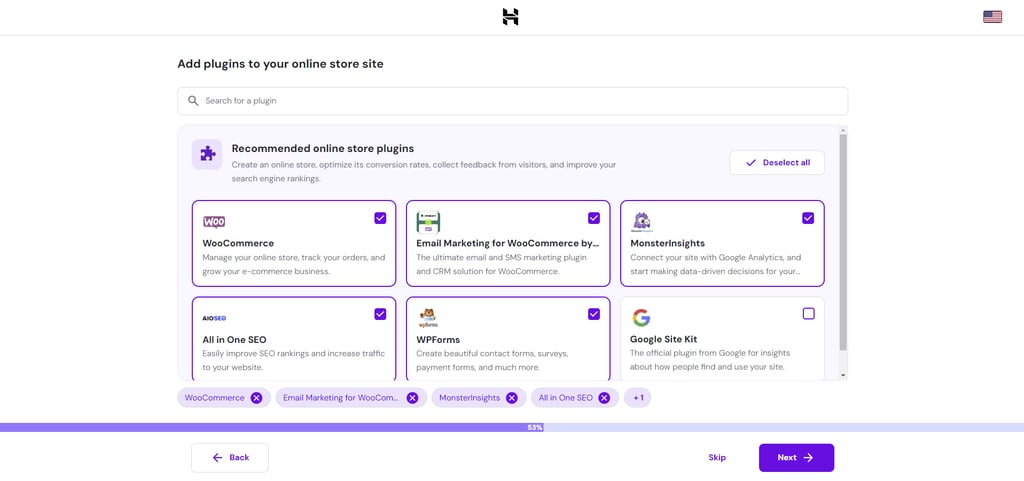
With so many plugins available, you can add new features as needed to improve customer experience and key business areas. Browse our list of top WooCommerce plugins to help you drive sales
That said, plugins vary in quality depending on the team that develops them. To avoid conflicts, check plugin compatibility with your WordPress version and installed plugins
Strong built-in features mean Shopify needs fewer extensions for support. However, you can still get additional apps from the Shopify App Store, which offers over 8,000 free and paid options to choose from
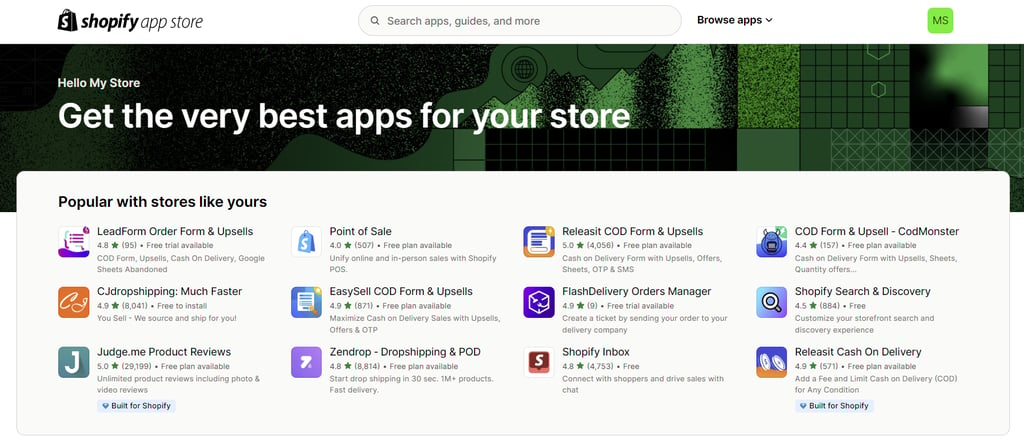
Like themes, Shopify doesn’t support apps hosted on third-party platforms. Fewer choices mean you’re less likely to encounter app conflicts. Moreover, using official apps also removes compatibility issues
However, you can only scale your Shopify store with whatever the store has, including paying for premium apps if they offer the features you need. This limitation can increase costs as your online store grows
The key to successfully making money online is having reliable shipping and payment methods for secure transactions. Make sure your eCommerce platform offers various shipping and payment choices to meet your customers’ preferences
The built-in shipping functionality lets you set different shipping rates based on recipients’ location. You can offer free shipping, charge a flat rate, or allow local pickup for customers in certain areas
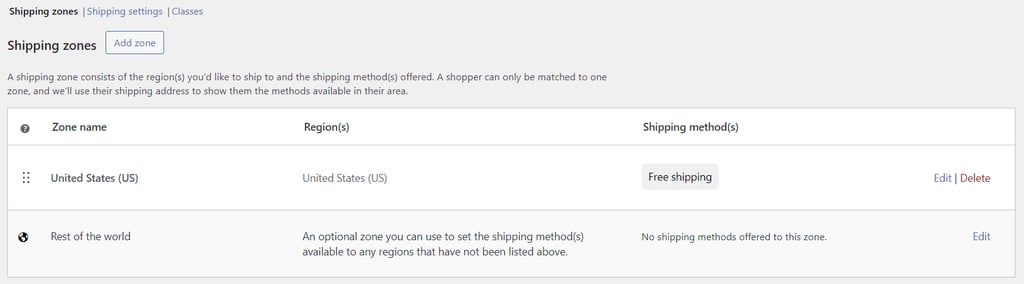
For shipping rates based on factors like product types and weights, consider using WooCommerce extensions like Table Rate Shipping or Conditional Shipping and Payments
The recommended WooCommerce Shipping extension supports integration with international couriers like USPS and DHL. U.S.-based WooCommerce stores can print and manage shipping labels for both couriers and access discounted shipping rates, saving you time at the post office
For payment gateways, there are three built-in options ‒ direct bank transfer, check payments, and cash on delivery
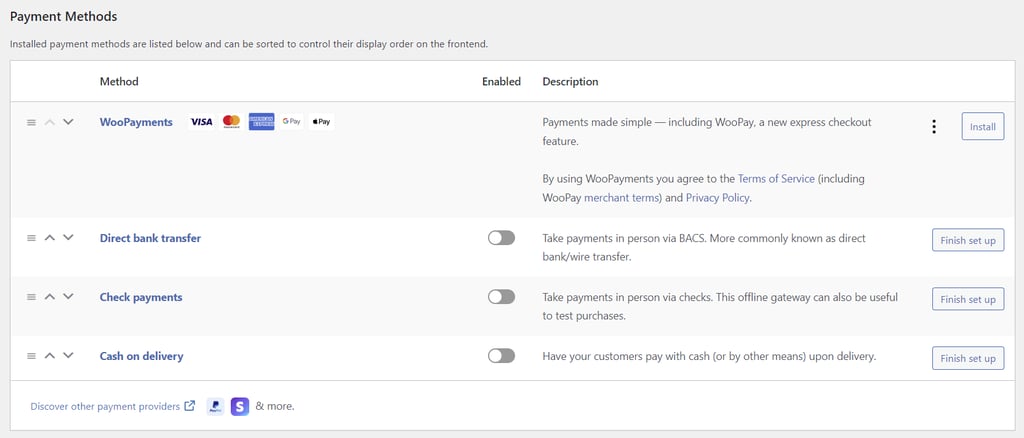
Consider installing the WooPayments plugin to accept credit and debit card payments as well as local payment methods. While WooPayments is free, the payment extension charges a processing fee of 2.90% + $0.30 per local transaction for U.S.-issued cards
That said, WooCommerce is only available in certain countries. Luckily, it allows integration with popular third-party payment gateways like Stripe and Square
Check out our list of the best WooCommerce payment gateways for detailed comparisons
This eCommerce solution has built-in shipping and delivery settings to configure shipping rates and processing time. You can also set up in-store pickup and local delivery with price-based rules to determine the shipping costs
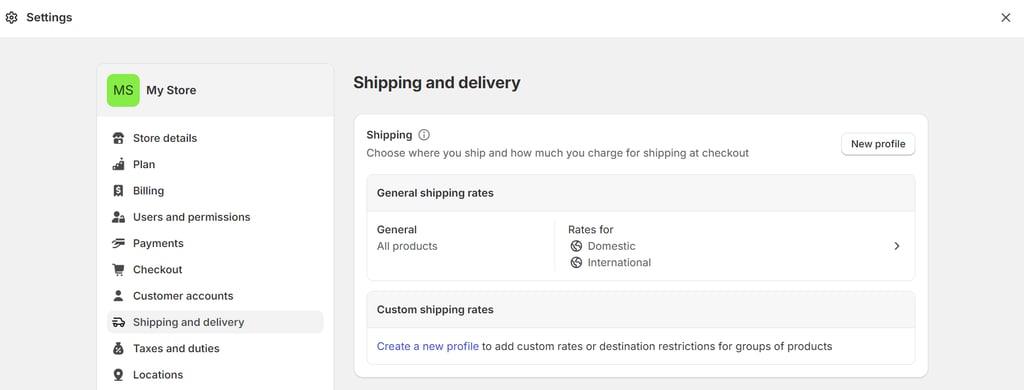
Stores with multiple inventories can let each location fulfill online orders, making deliveries faster. Custom order fulfillment using a third-party service to store, pack, and ship orders on your behalf is also available
Shopify Advanced and Plus plan users can display calculated shipping rates at checkout using their own account or third-party apps by popular couriers like FedEx, UPS, and USPS. If you’re on a Shopify plan, you can add this feature for $20/month on top of your plan costs
Additional shipping features like live tracking notifications and advanced shipping rules require apps, such as Shipping Rates and Multi-Carrier Shipping Label
Regarding payment methods, Shopify Payments supports popular payment options like credit cards, manual payments, and PayPal. The Basic Shopify plan charges 2.9% + $0.30 per online credit card transaction and 2.7% for in-person credit card transactions
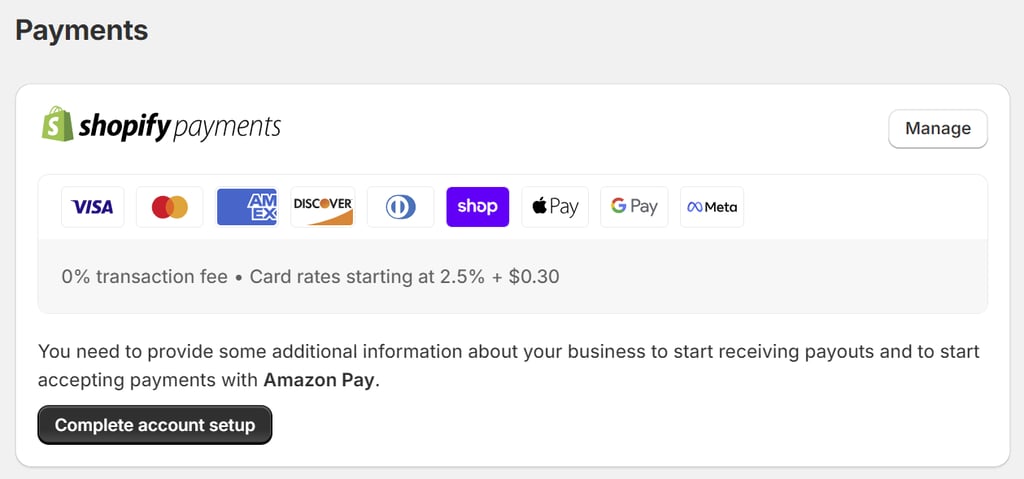
Transaction rates decrease with higher Shopify plans. Shopify users on the highest-tier plan, Advanced, get card rates of 2.4% + $0.30 per online transaction and 2.4% for in-person transactions
Like WooCommerce, this in-house payment gateway is only available to merchants in certain countries. If you’re outside these regions, you need to use other payment gateways and pay extra transaction fees of 2% for the Basic Shopify plan
Choosing an eCommerce platform with versatile search engine optimization (SEO) and marketing features is crucial for driving traffic to your online store. These features help increase your store’s search engine rankings, making it easier for potential customers to find your brand and boost sales
WordPress is the perfect content management system for content marketing, specifically blogging. Its advanced SEO tools let you create various custom post types and optimize them for search engines with custom meta tags, meta descriptions, and URLs
Hostinger users on Cloud Startup and higher hosting plans can use AI Content Creator integrated into the block editor to make engaging promotional content easily. It helps simplify content production for consistent publication
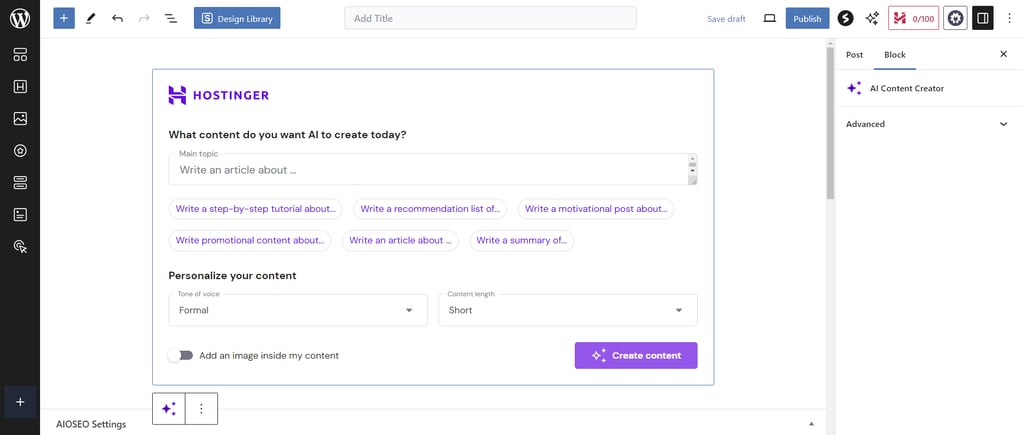
To expand the platform’s SEO capabilities, we recommend users install the AISEO plugin during website setup. It adds extra settings in the block editor to optimize headlines and meta descriptions, check content readability, and include focus keyphrases for better online visibility
Other excellent SEO plugin alternatives include Yoast SEO, SEOPress, and Rank Math SEO. They can help you create XML sitemaps, check for broken links, and add breadcrumbs or navigation aids to make your website easier to crawl for higher search engine rankings
Thanks to WordPress’s massive plugin library, WooCommerce users have abundant tools to help with different marketing strategies. Navigate to Marketing→ Overviewfrom your admin dashboard to see the recommended tools for social media, email, and coupon marketing
See our WordPress SEO guide to learn more about different techniques for improving a website’s visibility on the platform
All Shopify plans come with powerful tools for creating targeted marketing campaigns
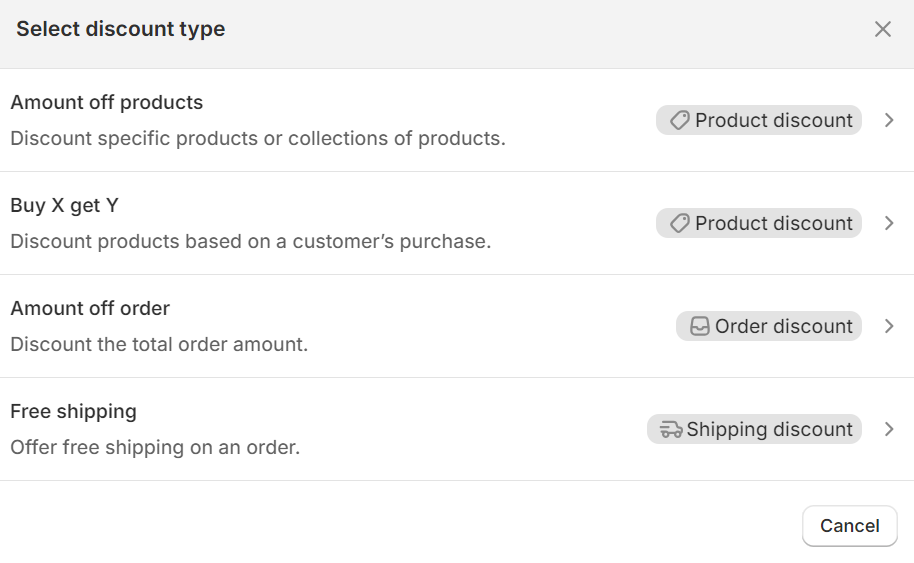
For discount marketing, the hosted eCommerce platform lets you offer product, order, and shipping discounts and gift cards. You can generate discount codes or automatically display discounted prices in carts and at checkout. Combine discounts to make them more appealing to customers
Cart abandonment recovery is another handy feature for customer retention. If a customer abandons their cart, Shopify can automatically send an email reminder to complete the purchase, potentially recovering lost sales
Additionally, Shopify offers integrations with popular social media platforms like Facebook and Instagram. Sync products with the ads manager for better ad targeting and maximizing ad spend
Shopify has blogging capabilities, but they are more limited than those of WordPress. For example, there’s no category system to organize your posts, which can quickly become a hassle as you publish more
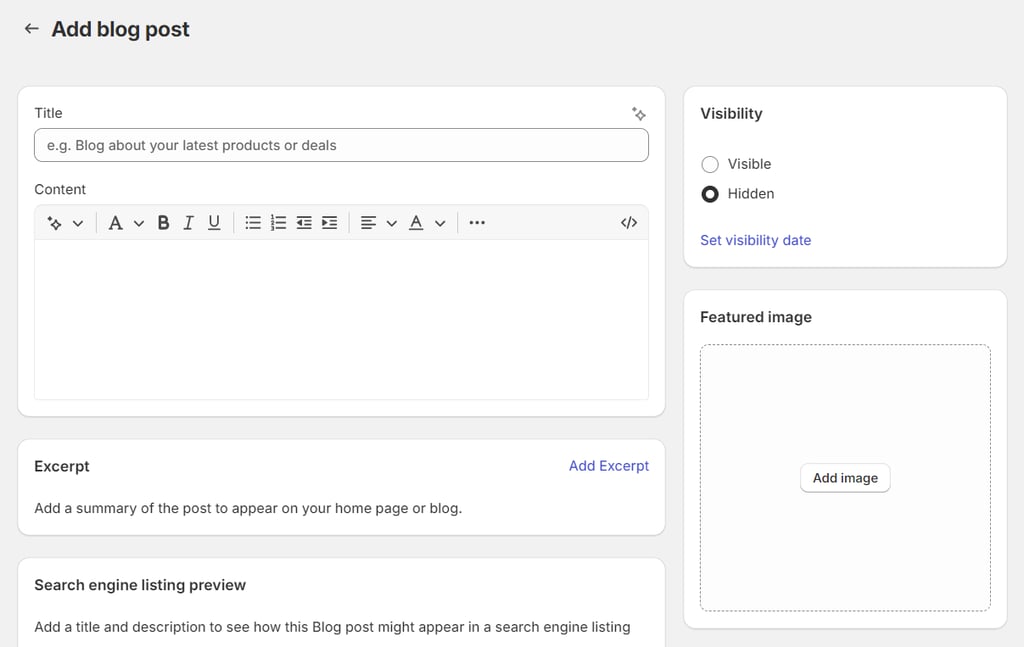
For SEO, Shopify allows you to edit meta tags, meta descriptions, and URLs for products and blog posts. The platform automatically generates sitemap files, but you can’t edit them
If you want to redirect traffic from one URL to another, you can only create 301 permanent redirects. This redirect type can complicate reversing or changing later, potentially harming your SEO
Apps can help you with other marketing strategies and advanced SEO features, but not all of them offer free plans. Even so, free plans’ basic features are only suitable for small businesses
When running an online store, security is crucial to protect your business and customers’ information from threats. Opting for a secure eCommerce platform keeps your data safe, prevents breaches from hurting your brand, and builds trust with customers
WordPress core contributors regularly audit WooCommerce’s software code. However, since WordPress is a self-hosted platform, users are responsible for securing their online stores and complying with the Payment Card Industry Data Security Standard (PCI DSS)
Common ways to secure a WordPress website include updating the core software, plugins, and themes and backing up the site regularly. WordPress security plugins like Jetpack and Wordfence offer extra security features like two-factor authentication, spam filtering, and idle session timeout
Your web hosting also plays an important role in securing your eCommerce site and meeting the PCI standards. Choosing a reputable, reliable hosting provider with strong security measures adds another layer of protection against cyber attacks
We provide extensive security measures to ensure information security. All WooCommerce hosting plans include a web application firewall, a Cloudflare DNS firewall against DDoS attacks, a malware scanner, and WHOIS privacy protection for your domain
A WordPress vulnerability scanner, smart auto-updates, and daily backups help mitigate data loss and fix vulnerabilities in the store’s back end
As a hosted platform, Shopify handles most security measures so users don’t have to. For example, Shopify automatically updates its core software and apps. The platform also offers security features like DDoS protection and SSL encryption, which web hosts typically provide
For this reason, all Shopify stores are PCI-compliant by default
You can install security apps for additional eCommerce-focused security features, such as spy tool protection, fraud prevention, and store lockdown
Unfortunately, Shopify doesn’t give users access to their backup data. To avoid data loss, you must regularly back up your website information by exporting it from your Shopify admin as CSV files. Automated and on-demand backups are available
Having accessible customer support can make a huge difference in customer experience. Expert help or troubleshooting reand lost sales
As a product of the WordPress team, WooCommerce has a large community of developers and users. You can join the WooCommerce community on Slack and Facebook for store improvement ideas and troubleshooting tips from other members
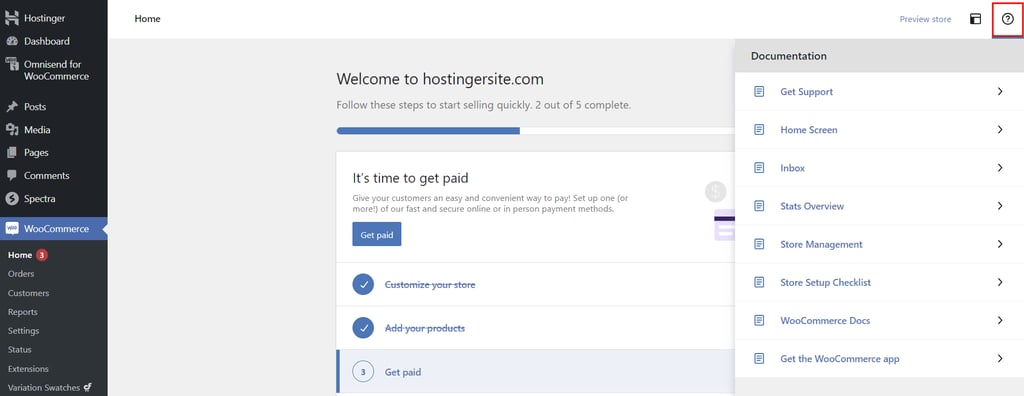
Another way to get technical support is through the WordPress support forum or WooCommerce’s Contact Us page. Alternatively, you can refer to the documentation on the admin dashboard for self-help assistance
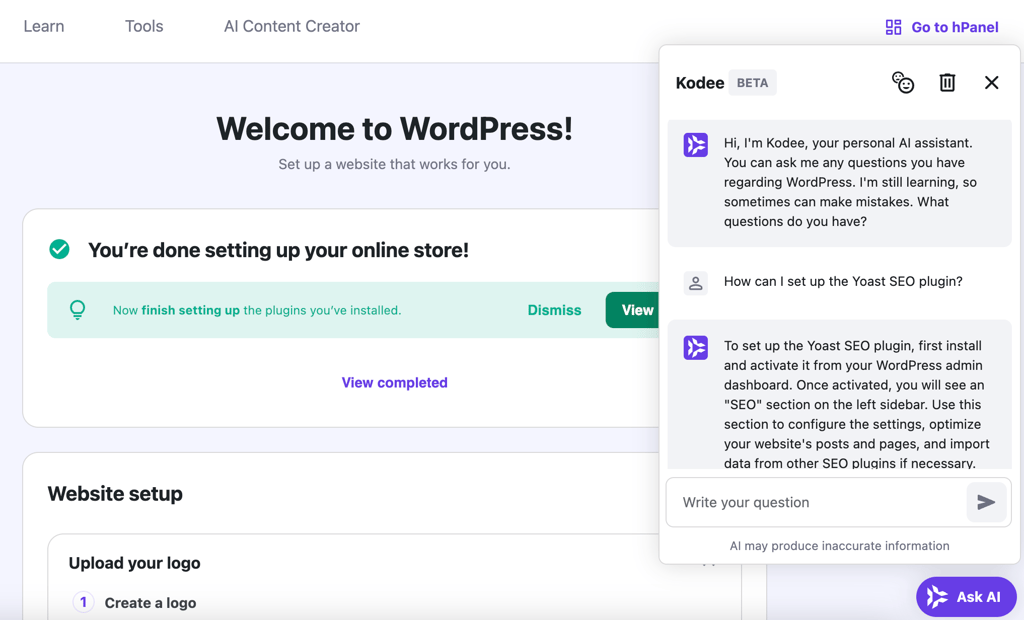
Hostinger users on Business and higher hosting plans get additional support on the WordPress dashboard through Hostinger Agent. Click on the Ask AI button on the bottom right corner of the screen and submit your questions for quick assistance
Most themes and plugins, especially premium ones, offer customer support to help with issues related to their tools. Available support channels and the level of support vary for each developer team
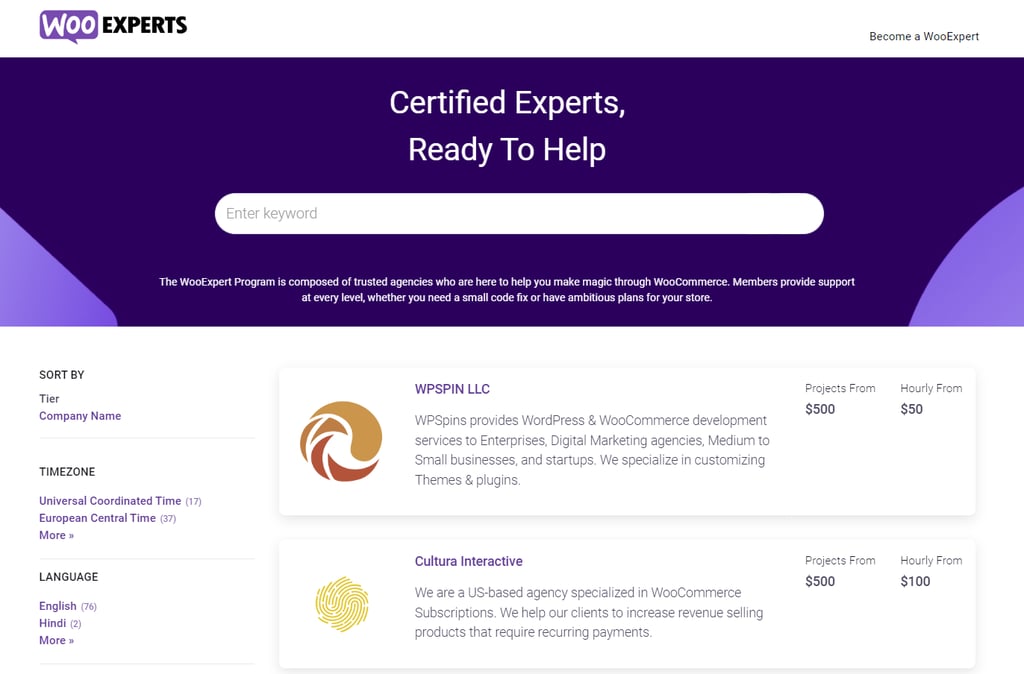
Additionally, WooExpert Marketplace lists agencies offering in-depth consultations and hands-on assistance. The rates will depend on the project’s scope. You can filter the options based on the timezone, language, industry, services, and project budget
Choosing a hosting provider with reliable support also helps ensure your WooCommerce store runs optimally. Hostinger offers 24/7 support edge base on the Help Center page
We also have a massive library of tutorials on different web development topics, including WordPress basics
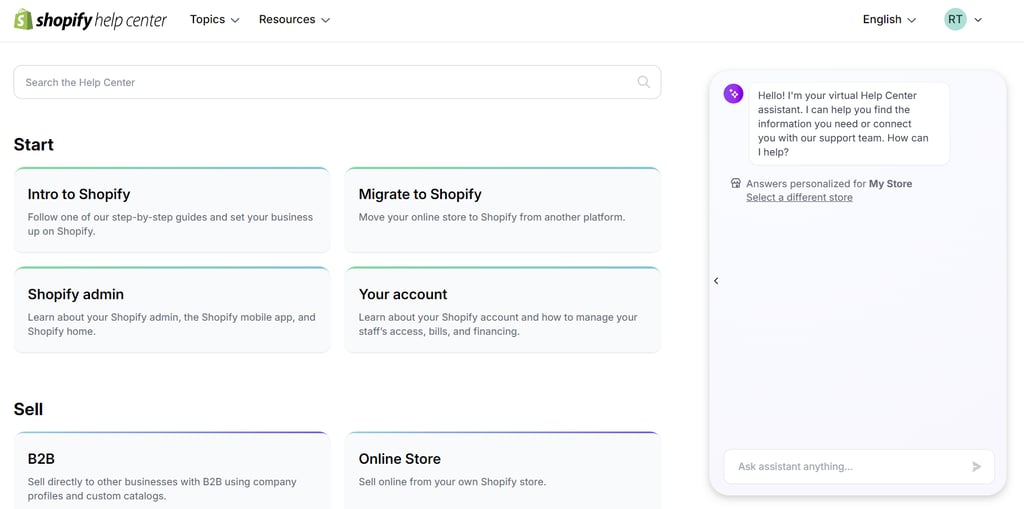
All Shopify users can get technical support through 24/7 live chat and email support. The Shopify Advanced plan offers faster response times with enhanced live support. Priority support by phone and live chat is available on Shopify Plus
The Help Center provides self-troubleshooting re the platform
For tips on improving your eCommerce store, the Shopify Community forum can connect you with fellow users and developers. Shopify Academy also offers courses and video series to help you understand the platform better and grow your business
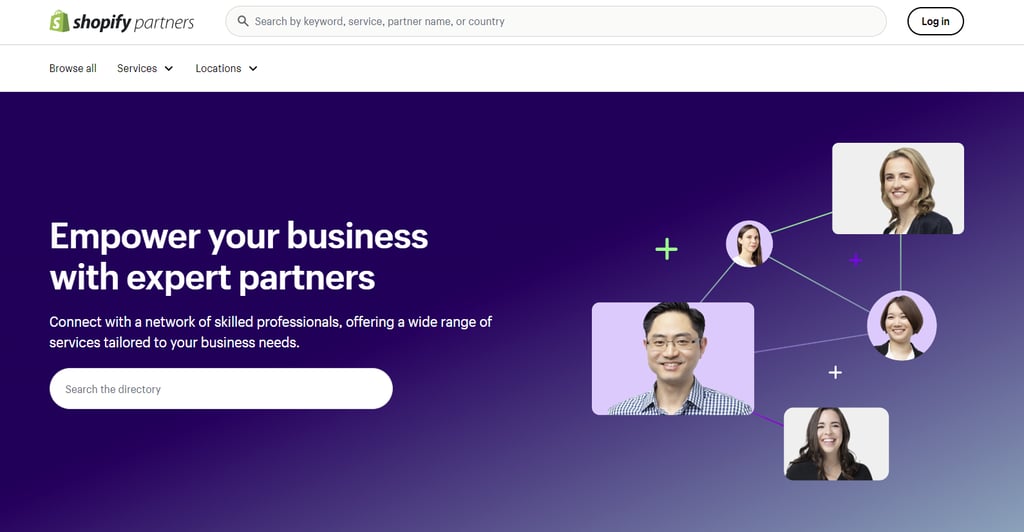
Like WooExperts, Shopify Partners connects you with professionals who offer website development and design services. Narrow down the available options based on the location, services, industry, budget, and spoken language
We’ve explored the strengths of WooCommerce and Shopify across various aspects of web development. Now, let’s review the key insights to determine which platform is best suited for different types of users
WooCommerce is perfect for users who want total flexibility in customizing and optimizing their eCommerce store. The free WooCommerce plugin is a great Shopify alternative for budget-conscious individuals looking to gradually scale their websites
The responsibilities of managing a self-hosted platform might be challenging for new WordPress users and non-technical store owners. However, you can reduce the steep learning curve and simplify website setup and maintenance with Hostinger – a hosting service that’s recommended by WordPress.org
Here are the main benefits of WooCommerce:
- Complete customization ‒ the massive library of plugins, extensions, and themes lets you build any kind of eCommerce store with relevant features and unique designs. You can even make advanced customizations with custom code.
- Flexible pricing ‒ manage your spending by choosing web hosting, plugins, and themes within your budget. Start with free tools and switch to premium versions as your business expands.
- Great scalability ‒ upgrade your hosting for increased server resources to handle more traffic. With the right hosting type and plan, you can run an enterprise-level WooCommerce store.
- Low operational costs ‒ WooCommerce’s native payment gateway has no setup or transaction fees. To use a third-party payment method, simply pay the fees charged by the payment gateway provider.
- Advanced SEO ‒ WordPress already comes pre-built with various versatile SEO tools, but you can enhance your online visibility further with plugins.
For users who prioritize ease of use, Shopify provides all the red without much previous experience. The platform takes care of all the backend tasks, so you can fully focus on building a successful online store
Shopify’s fixed pricing plans can be slightly expensive when starting out and scaling up. However, the following advantages might help justify the higher cost:
- Hosted solution ‒ all Shopify plans include essentials like web hosting, a domain name, security measures, and eCommerce functionality. All themes and apps will always work with the platform’s latest version.
- Advanced eCommerce features ‒ Shopify can handle online transactions for all business types without depending too much on apps.
- 24/7 support ‒ get help from the support team whenever you need it.
- Multi-channel integration‒ sell on multiple platforms, including popular social networks, from a single dashboard.
- PCI compliance ‒ automatically equips your Shopify store with the necessary security measures to keep credit card information safe.
WooCommerce and Shopify are two of the most popular eCommerce platforms with a wide range of powerful features. However, each platform comes with its own pros and cons that can impact your business’ success. Therefore, it’s important to go with the one that suits your needs best
This article explored how WooCommerce and Shopify differ in features, cost, and other aspects in detail. We hope you can use these insights to decide which eCommerce platform is the right one for you
If you have any questions about setting up a WooCommerce site on Hostinger, get in touch with our 24/7 Customer Success team
This section answers some of the most common questions about WooCommerce vs Shopify
Can I Convert From Shopify to a WooCommerce Store?
Yes. You can transfer data manually to the new WooCommerce store with Shopify’s export feature or use migration software like LitExtension
Which Platform is Better for Dropshipping?
It depends on whether you prefer ease of use or flexible customization. Shopify’s built-in dropshipping solution is perfect for beginners and non-technical users looking to start a dropshipping business. If you want a highly customizable platform with full control over every element, WooCommerce is the go-to choice
Does WooCommerce Take a Percentage of Sales?
WooCommerce doesn’t charge fees for using the platform or setting up a store. However, businesses must pay a transaction fee of 2.9% + $0.30 per sale with U.S.-issued cards
All of the tutorial content on this website is subject to
Hostinger’s rigorous editorial standards and values
Related:
Digital Automation Training Benin: 5 Winning Skills Employers Demand in 2026
WhatsApp Marketing Automation Africa: 6 Dangerous Mistakes Brands Make in Nigeria
Want to learn this practically?
Join Justfine Infotech and build real digital skills in AI, automation, web development, digital marketing, office productivity, e-commerce, freelancing and cybersecurity.
Available Programmes:
6 Weeks Certificate • 3 Months Professional Certificate • 6 Months Diploma • Full Professional Diploma
WhatsApp:
+229 01 57 57 99 15
+229 01 66 68 11 60
Source: www.hostinger.com


 English (UK)
  Français