

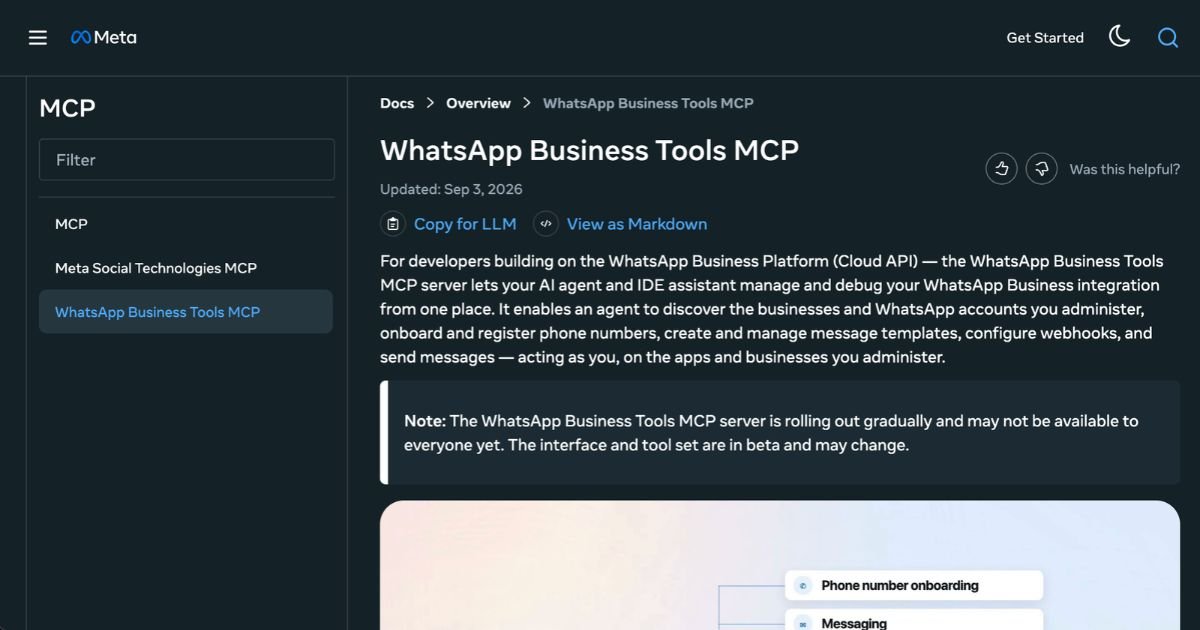
WhatsApp Business Tools MCP: AI Onboarding Automation
Meta WhatsApp Business Tools MCP automates WhatsApp setup, testing, and management through AI agents, streamlining onboarding and messaging tasks

Mazi Foroudian
Ai Tools · 20 Sept 2026 · 2 min read
Meta WhatsApp Business Tools MCP enables AI agents to perform much of the setup, configuration, and testing work required to connect a business to the WhatsApp Business Platform. Instead of switching among dashboards, developer consoles, and documentation, decision-makers and developers can now ask compatible tools like Claude, Codex, Cursor, or ChatGPT to execute tasks such as creating a WhatsApp Business Account, adding and verifying phone numbers, registering Cloud API access, building message templates, testing messages and webhooks, and diagnosing configuration issues. The tool was announced in mid-September 2026 and is in beta, rolling out gradually.
Key Features
-
Onboarding automation: AI agents can now create or configure a WhatsApp Business Account, verify phone numbers, register Cloud API access, confirm acceptance of Terms of Service, and check business verification status directly through conversation
-
Template management: Agents can build, edit, and deploy message templates used for outbound communications, rather than manually working through developer or business dashboards
-
Testing environment tools: Includes abilities to send test messages, set up and test webhooks, detect setup blockers such as missing verification or payment configuration, and monitor whether Terms of Service has been agreed upon
-
Operational transparency: Though powerful, actions require authenticated access through a Meta account; only permitted agents with required permissions can perform state-changing operations. The system surfaces account health and configuration failures that previously may not have been obvious
-
Beta rollout and scope limits: WhatsApp Business Tools MCP is still in beta. Tool availability, write permissions, and agent support may vary depending on your tool (e.g. Claude vs. ChatGPT) and business plan
Pricing
Meta WhatsApp Business Tools MCP is essentially an administrative and configuration layer for the WhatsApp Business Platform. It does not replace the Cloud API, and pricing for WhatsApp business messaging still follows standard Meta rate cards. Businesses are charged on a per-message delivered basis, not simply sent, depending on the message category—marketing, utility, authentication, or service—and the recipient’s country. There are free service/utility messages in response to user-initiated messages, and volume tiers may reduce costs for larger message volumes. Meta also offers free entry points: for example, when a user initiates conversation via certain channels, outgoing messages in the first 72 hours are not charged. Message pack pricing (for broadcasts) is also rolling out in some markets. The Meta Terms reflect that all API messaging is invoiced under a rate card; lists of message rates per country and category are published. Because WhatsApp Business Tools MCP doesn’t appear to alter messaging pricing, and because Meta has not stated public subscription tiers for MCP itself, there are no separate “MCP pricing tiers” beyond the standard messaging costs.
Who is it for?
This tool is best suited for businesses that already intend to use WhatsApp for scale—medium to large enterprises, platforms, or services with technical teams that are integrating the WhatsApp Business Platform into their backend systems. Also useful for agencies or system integrators managing WhatsApp deployment for clients. It helps reduce friction in onboarding, verifying phone numbers, building messaging templates, and ensuring configuration and compliance work is done correctly. Smaller businesses without dedicated technical resources may benefit if using a compatible AI agent that simplifies these tasks without deep technical knowledge. But they should verify that agent-support and write-access are available in their plan or market.
Final thoughts
WhatsApp Business Tools MCP represents a meaningful shift toward streamlining the setup and configuration of WhatsApp Business messaging. By allowing AI agents to perform configuration tasks that formerly required developer and operations attention, it offers productivity gains. However, it remains an operational control-plane tool—not a messaging engine. Pricing for actual message delivery remains governed by Meta’s existing rate system. Businesses evaluating this tool should assess whether their use case involves enough setup complexity, message volume, or repeated configuration to warrant using MCP, especially during its beta rollout where capability availability may differ.
Visit the official website for more
Keep up to date with our stories on LinkedIn, Twitter, Facebook and Instagram
Tags
#messaging#automation#enterprise
MF
Mazi Foroudian
Mazi Foroudian reports for Dynamic Business — covering the founders, money and policy shaping Australia’s economy.
From the floor
Closer to this story than we are?
If you’re building in this space — or watching it reshape your market — pitch us. We edit it; you get the byline.
Related:
Digital Automation Training Benin: 5 Winning Skills Employers Demand in 2026
WhatsApp Marketing Automation Africa: 6 Dangerous Mistakes Brands Make in Nigeria
Want to learn this practically?
Join Justfine Infotech and build real digital skills in AI, automation, web development, digital marketing, office productivity, e-commerce, freelancing and cybersecurity.
Available Programmes:
6 Weeks Certificate • 3 Months Professional Certificate • 6 Months Diploma • Full Professional Diploma
WhatsApp:
+229 01 57 57 99 15
+229 01 66 68 11 60
Source: dynamicbusiness.com

 English (UK)
  Français