

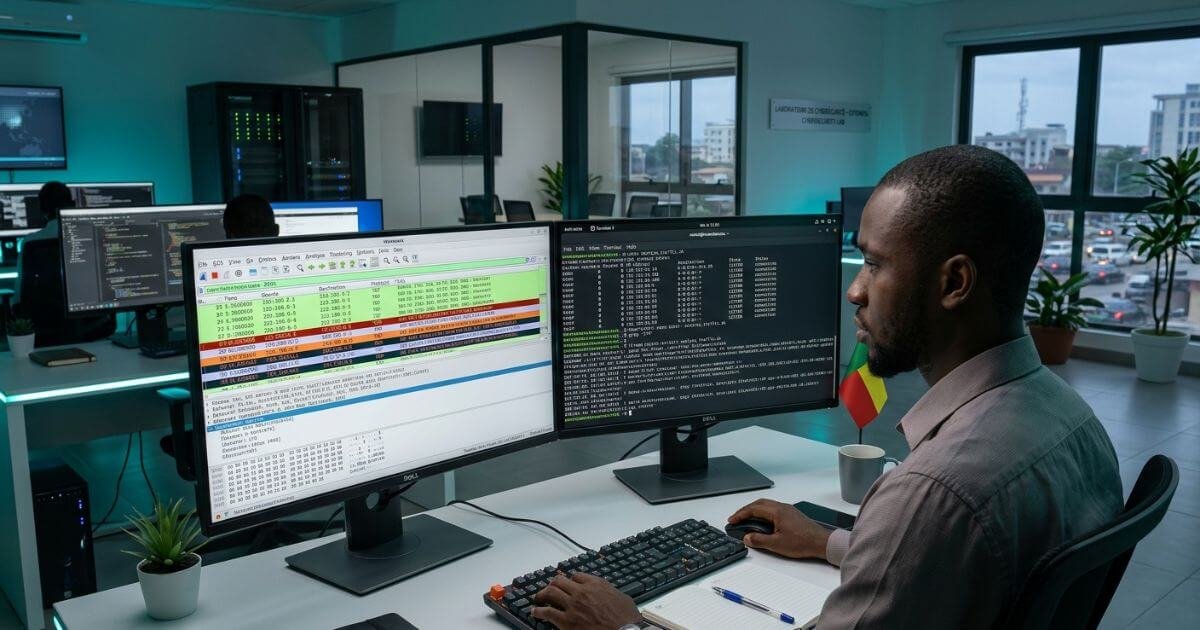
Mastering this practical Wireshark lab walkthrough gives defensive security operators the precise diagnostic tools required to isolate malicious activity across modern digital infrastructure. While passive monitoring tools and automated dashboards summarize network events, they frequently obscure the exact transport-layer indicators of an active intrusion. To defend corporate systems against lateral traversal, unauthorized credential exposure, and exfiltration attempts, security analysts must dissect network transactions byte by byte.
Across regional technology ecosystems in West Africa, corporate infrastructure is expanding rapidly alongside payment gateways and enterprise cloud solutions. These expanded attack surfaces require defensive personnel who do not rely on guesswork or unverified assumptions. This step-by-step packet analysis tutorial outlines five essential defensive analysis rules, equipping you to filter packet streams, reconstruct suspicious transactions, and sharpen your practical network defense Cotonou competencies.
Table of Contents
The Packet Inspection Imperative: Why Defenders Inspect Payloads
Network packets represent the ground truth of digital communication. High-level security dashboards often aggregate telemetry, but threat actors actively develop techniques to evade log collection agents and mask malicious system calls.
When an attacker establishes an initial foothold inside an internal enterprise network, their subsequent lateral movement, remote command-and-control (C2) beaconing, and unauthorized data queries must traverse physical network switches and virtual interfaces. Network packet captures (PCAP) capture this reality without bias:
[Attacker Node] ──( Malicious Inbound Vector / C2 )──► [Edge Router]
│
▼
[Network TAP / SPAN Port]
│
▼
[Wireshark Inspection Buffer] ◄────────────── [Raw Packet Capture: PCAP File]
│
├── Protocol Dissection (Frame ➔ IP ➔ TCP/UDP ➔ App Payload)
├── BPF & Display Filter Tuning (Eliminating Operational Noise)
└── Payload Extraction (Reconstructing Executables & Transferred Data)
To execute a professional Wireshark lab walkthrough, analysts avoid casual browsing through millions of lines of raw traffic. Instead, they apply strict display syntax and protocol filtering rules to isolate adversarial artifacts.
For an overview of how defensive security pipelines integrate into comprehensive technical programs, examine our guide on [Internal Link: Academy Course Catalog / All Academic Programs].
Rule 1: Establish Baseline Profiles and Isolate Protocol Anomalies
Defensive analysts cannot identify malicious behavior without first defining normal operational network behavior. Every environment maintains distinct baseline traffic: scheduled database backups, enterprise cloud sync routines, and local broadcast protocols.
Begin your analysis by generating quantitative summaries of your packet capture:
- Open your capture file in Wireshark and navigate to Statistics > Protocol Hierarchy.
- Examine the relative percentage distribution of traffic across the transport and application layers.
- If an office subnet displaying 85% HTTPS traffic suddenly reveals 40% raw UDP broadcasts or unexpected SMB transactions across internal segments, tag that window for immediate investigation.
- Navigate to Statistics > Conversations and select the IPv4 tab. Sort by Bytes descending to quickly isolate the highest-bandwidth connections.
# Essential Display Filter: Isolate non-standard ports masquerading as common protocols
tcp.port != 80 && tcp.port != 443 && http
Filtering out expected background noise allows you to focus investigative resources directly on unauthorized communication paths.
Rule 2: Hunt Anomalous TCP Handshakes and SYN Floods
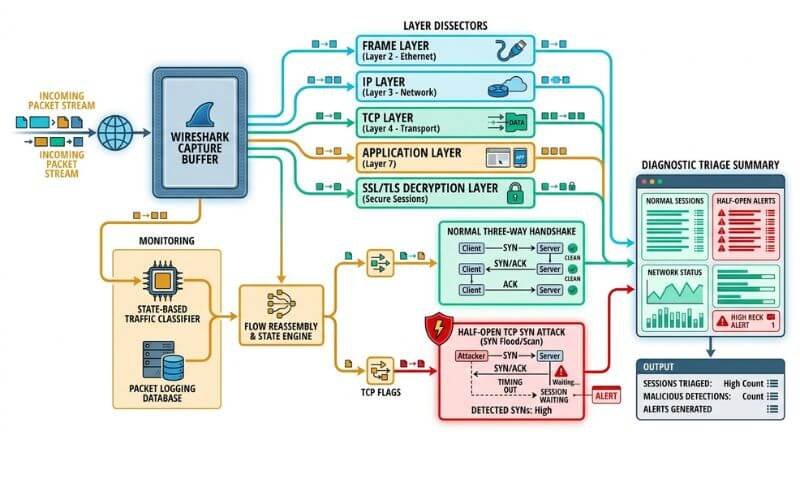
Legitimate stateful communication across the internet relies on the standard TCP three-way handshake: SYN, followed by SYN-ACK, and concluded with ACK. Attackers conducting network mapping or Denial-of-Service attacks deliberately disrupt this state machine.
Port scans (such as standard Nmap stealth scans) transmit thousands of isolated SYN requests without completing the connection handshake. By analyzing flags within the TCP header, you can detect automated reconnaissance before an attacker launches their core exploit payload:
+————————————————————-+
| STANDARD TCP THREE-WAY HANDSHAKE |
| |
| Client Server |
| │ │ |
| │ ──── [SYN: Seq=0] ─────────► │ (Initiate Connection) |
| │ ◄─── [SYN, ACK: Ack=1] ──── │ (Acknowledge Request) |
| │ ──── [ACK: Seq=1] ─────────► │ (Connection Ready) |
+————————————————————-+
| ANOMALOUS TCP RECONNAISSANCE |
| |
| Scanner Target |
| │ │ |
| │ ──── [SYN: Port Scan] ─────► │ (Probing Closed Port) |
| │ ◄─── [RST, ACK] ──────────── │ (Port Unreachable) |
| │ │ |
| │ ──── [SYN: Half-Open] ─────► │ (Probing Open Port) |
| │ ◄─── [SYN, ACK] ──────────── │ |
| │ ──── [RST] ────────────────► │ (Abrupt Tear-Down) |
+————————————————————-+
Apply this targeted display filter in Wireshark to isolate unacknowledged connection attempts:
Code snippet
tcp.flags.syn == 1 && tcp.flags.ack == 0
If you observe an external IP address sending hundreds of SYN packets across sequential destination ports within a few seconds, you are witnessing an active reconnaissance sweep. Document the source address, geolocate the autonomous system number (ASN), and correlate the scan against firewall drop logs.
For official details on industry vulnerability tracking standards, consult the [External Link: Cybersecurity & Infrastructure Security Agency / Known Exploited Vulnerabilities Catalog].
Rule 3: Trace DNS Tunneling, Fast-Flux Queries, and Data Exfiltration
Because standard network security controls rarely block Domain Name System (DNS) port 53 outbound queries, threat actors heavily exploit DNS protocols for covert command-and-control channels and slow data exfiltration.
In a normal enterprise environment, DNS queries are short, human-readable strings requesting destination resolutions (e.g., api.service.com). In contrast, DNS tunneling encodes base64 or hexadecimal payload chunks inside nested subdomains:
Code snippet
# Display Filter: Detect long, unusual DNS queries containing encoded data
dns.flags.response == 0 && dns.qry.name.len > 35
When analyzing DNS telemetry during an investigation, inspect these specific indicators:
- Abnormal Query Length: Subdomain strings exceeding 30 characters that contain irregular alphanumeric entropy (e.g., a7x99b1c.stage4.exfil-domain.org).
- High TXT Record Volume: Adversaries leverage TXT records because they return large payload responses capable of delivering encoded scripts. Apply dns.qry.type == 16 to isolate TXT lookups.
- Rapid Domain Flux: Query streams resolving the same root domain to dozens of distinct public IP addresses within short intervals.
Identifying anomalous DNS behavior early allows defenders to disrupt outbound data staging before critical business databases are exfiltrated.
Rule 4: Carve Cleartext Credentials and Unencrypted Artifacts
Legacy and misconfigured networks frequently transmit administrative access credentials, file shares, and session tokens across local networks without TLS encapsulation. An analyst executing a Wireshark lab walkthrough must know how to identify and remediate these exposure points:
Code snippet
# Display Filter: Filter for cleartext authorization headers and FTP/Telnet credentials
http.authorization or ftp.request.command == “USER” or ftp.request.command == “PASS”
- Enter http.request.method == “POST” in the Wireshark filter bar to display all data submission requests.
- Select an HTTP packet from the top packet list pane and navigate down into the Packet Details pane.
- Expand Hypertext Transfer Protocol, then expand HTML Form URL Encoded.
- Review submitted field values: misconfigured forms often expose parameters like username, password, and session_token in plain text.
Detecting unencrypted credentials during an audit provides clear, actionable evidence for administrative remediation. Enforce strict TLS 1.3 encryption across all internal services to prevent passive packet sniffing on internal corporate subnets.
Rule 5: Reconstruct TCP Streams to Extract Malware Objects
Analyzing single packets provides granular transport-layer metrics, but understanding an attacker’s overall objective requires evaluating the entire session payload. Wireshark’s Follow TCP Stream capability reassembles fragmented packets back into their coherent, readable conversation sequence:
[Fragmented Packet 1 (1460 Bytes)] ──┐
[Fragmented Packet 2 (1460 Bytes)] ──┼──► [Wireshark Reassembly Engine]
[Fragmented Packet 3 (820 Bytes)] ──┘ │
▼
Coherent Hex / ASCII Stream:
├── HTTP GET /downloads/payload.bin
├── MZ Header Detection (0x4D 0x5A)
└── Extraction to File on Disk
- Right-click on a suspicious TCP or HTTP packet and select Follow > TCP Stream.
- Wireshark opens a dedicated window displaying the full bidirectional exchange: data sent from the client appears in red, and server responses appear in blue.
- Inspect the stream headers for executable signatures. For instance, Windows executable payloads begin with the hexadecimal bytes 4D 5A (ASCII text MZ), accompanied by the phrase “This program cannot be run in DOS mode.”
- To safely extract the file object, navigate to File > Export Objects > HTTP in the main menu. Select the malicious file from the enumerated list and save it to an isolated analysis sandbox.
Always perform malware extraction inside an isolated, non-networked virtual environment to prevent accidental execution. For an authoritative index of international packet capture parsing rules and dissector standards, consult the [External Link: Official Wireshark Foundation / Developer & User Documentation].
To assess your foundational technical readiness across defensive security systems, complete our free [Internal Link: AI Career Diagnostic / Skills Readiness Assessment].
Surface-Level Monitoring vs. Protocol-Level Packet Dissection
The operational difference between relying on basic administrative summaries and performing deep packet dissection illustrates why frontline security operations depend on hands-on protocol analysis:
| Diagnostic Dimension | Basic Administrative Monitoring | Applied Wireshark Packet Dissection |
| Data Visibility | High-level traffic graphs and bandwidth totals | Byte-level inspection of frame headers and payloads |
| Inspection Depth | Port numbers and domain names only | Full protocol state decoding and payload carving |
| Threat Discovery | Alerts trigger only after known malicious signatures match | Uncovers zero-day payloads, stealth scans, and beaconing |
| Credential Auditing | Assumes network traffic is encrypted | Pinpoints unencrypted cleartext credentials and tokens |
| Incident Verification | Generates speculative alert summaries | Delivers verifiable proof of malicious data exfiltration |
| Technical Requirement | Passive dashboard observation | Applied understanding of TCP/IP, OSI layers, and packet flags |
Train on Dedicated Hardware at the JCS-701 Cybersecurity Lab
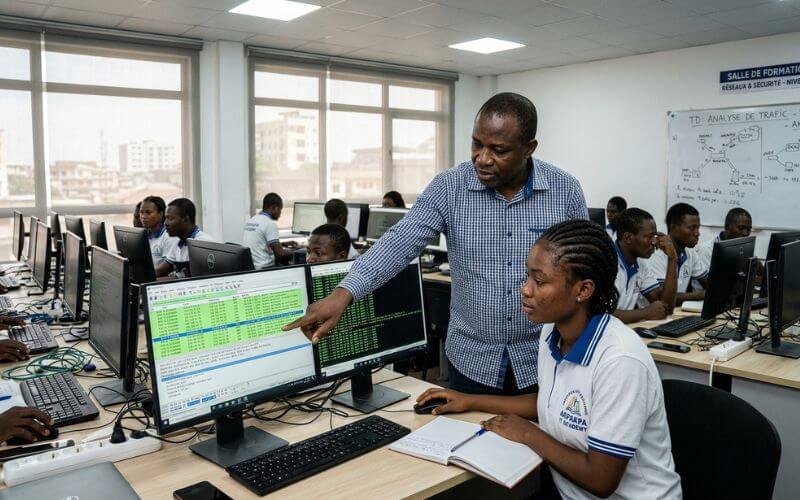
Mastering network defense requires structured, hands-on practice. Reading command syntax from an online article cannot replace the muscle memory built by isolating real attack traffic, configuring defensive filtering scripts, and defending production-grade virtual environments under timed pressure.
You can execute this exact protocol live inside the JCS-701 cybersecurity lab at the Justfine Digital & AI Skills Academy.
In our flagship course, JCS-701: Cybersecurity & Digital Defense, students master modern blue-team capabilities under the guidance of experienced security practitioners. You will not sit through abstract lectures or rely on disconnected software simulators. You analyze real PCAP datasets, configure defensive perimeter rules, and audit network traffic on dedicated, enterprise-grade lab workstations:
- Physical Campus Facility: Rue 1604 (near Boulangerie Kpankpan), Akpakpa, Cotonou, Littoral, Benin Republic.
- Instructional Methodology: Learn → Build → Deploy → Earn → Grow.
- Core Tool Ecosystem: Kali Linux, Wireshark, Cloudflare WAF, Nmap, and SIEM event dashboards.
- Dedicated Hardware Guarantee: Every enrolled learner is assigned an individual high-speed desktop terminal, uninterrupted fiber internet, and continuous auxiliary power backup.
- Flexible Cohort Schedules: Choose between our Daytime Cohort (12:00 PM – 3:00 PM) or Evening Professional Cohort (6:00 PM – 9:00 PM) on Mondays, Wednesdays, and Fridays.
- International Exam Preparation: Complete supervised coursework mapping directly to the globally recognized Google Cybersecurity Professional Certificate.
Stop studying theoretical network security in isolation. Reserve your physical workstation, master defensive packet analysis, and build verifiable skills that enterprise security operations centers actively seek.
You can also submit your registration application directly through our [Internal Link: Academy Admissions Portal / Secure Your Cohort Workstation].
Frequently Asked Questions (FAQ)
What is the primary difference between Wireshark capture filters and display filters?
Capture filters (configured using Berkeley Packet Filter syntax before capturing begins) permanently restrict which packets the network card saves to memory, minimizing capture file size on high-throughput links. Display filters, applied after traffic is recorded, do not discard any captured data; they simply hide irrelevant packets so analysts can evaluate specific protocols, IP addresses, or flags without altering the underlying capture file.
Can Wireshark decrypt encrypted HTTPS and TLS traffic streams?
Wireshark cannot decrypt encrypted TLS traffic by default without the corresponding session encryption keys. However, inside a controlled laboratory environment or an authorized enterprise test workstation, you can configure your operating system or browser to export an SSLKEYLOGFILE. Loading this session secret file into Wireshark’s protocol preferences allows the software to decrypt the TLS stream and inspect cleartext HTTP payloads.
Do I need advanced coding or programming knowledge to learn packet analysis?
No programming experience is required to begin analyzing packets effectively. Wireshark uses logical expressions and structured display syntax (such as ip.addr == x.x.x.x or tcp.port == 80) to query network data. Understanding the OSI model, IP addressing, and fundamental transport protocols (TCP and UDP) provides all the foundation needed to master intermediate and advanced packet inspection techniques.
How does the JCS-701 cybersecurity lab prepare students for professional defensive security roles?
The JCS-701 cybersecurity lab at Justfine Digital & AI Skills Academy in Akpakpa guides students through practical, scenario-based defense. Learners analyze real malware PCAP captures, hunt simulated network intrusions, audit network configurations using Kali Linux tools, and configure Cloudflare perimeter firewalls. This hands-on training provides the demonstrable capability and portfolio evidence needed to qualify for frontline security analyst and network administrator positions.


 English (UK)
 Français