

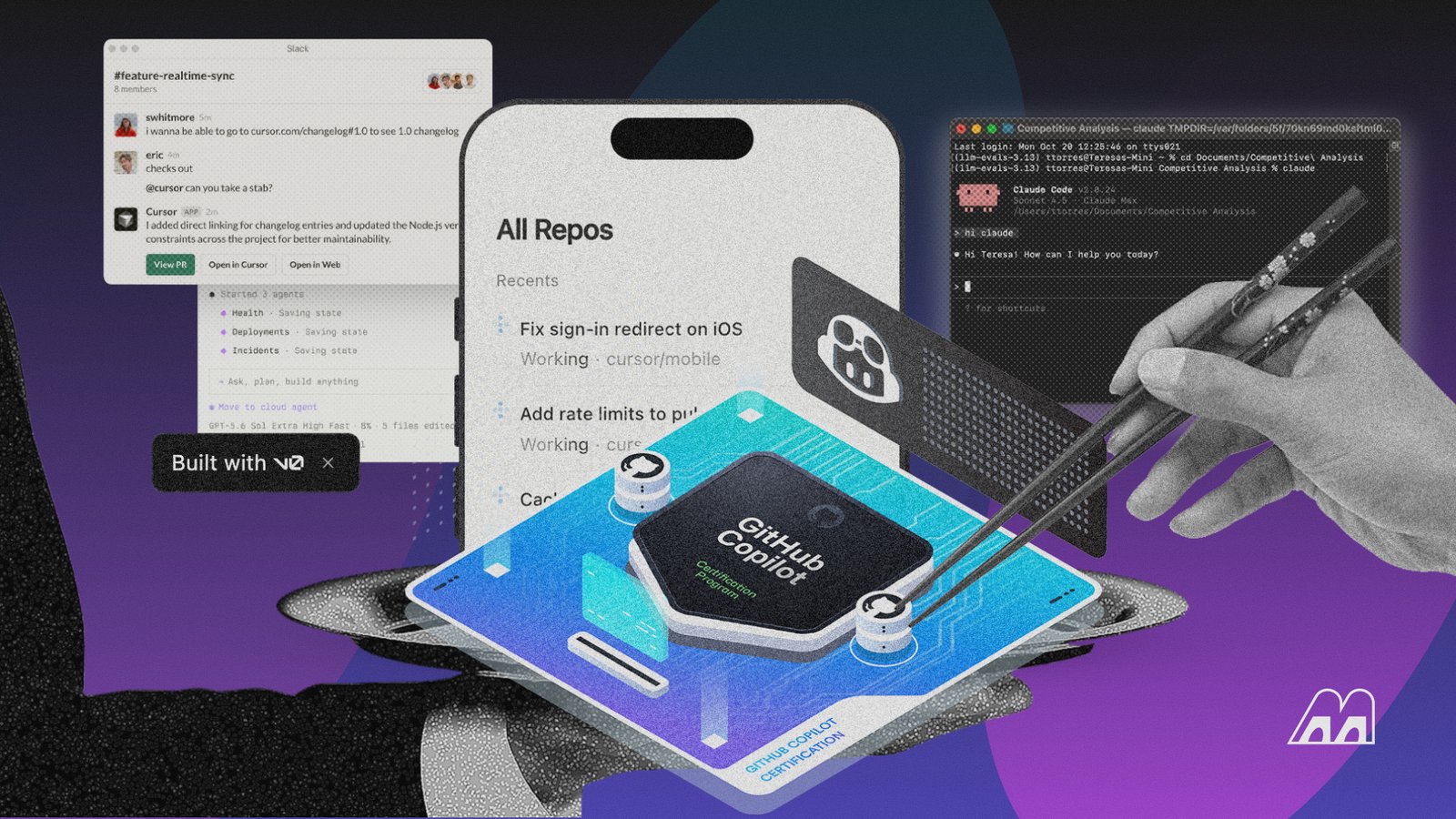
JetBrains’ 2026 Developer Ecosystem Survey found that90% of developers now use AI coding agents at work at least weekly, with 68% reaching for one daily. We spent weeks running actual projects through ten of the category’s standout tools, not just autocomplete assistants, butcode review bots, terminal agents, and documentation platforms, to see which ones earn a place in a developer’s daily workflow.
Best AI Tools for Developers: Quick Comparison
| Tool | Type | Best For | Interface | Free Plan? | Price |
| Cursor | AI-native IDE | AI-assisted coding and multi-file work | Desktop IDE | Yes | $20/month |
| Claude Code | Coding agent | Complex terminal-based development | CLI (command line interface) | No | $17/month billed annually |
| CodeRabbit | AI code review | Pull-request reviews | GitHub/GitLab/CLI | No (14-day free trial) | $30/developer/month |
| Qodo | Code testing + review | Context-aware PR review and governance | Git/IDE/CLI | Yes (through theQodo for Open Source program) | $30/month |
| Sentry | Error monitoring | Root-cause debugging | Web dashboard | Yes | $29/month |
| Postman | API development | API testing and AI-assisted workflows | Desktop/web | Yes | $12/month |
| DeepWiki | Documentation | Understanding unfamiliar repositories | Web | Yes | $20/month |
| Mintlify | Documentation | Building and maintaining developer docs | Web editor | Yes | $450/month billed annually |
| Warp | AI terminal | Agentic terminal workflows | Standalone terminal | Yes | $20/month |
| DbVisualizer | Database client | SQL and database development | Desktop app | Yes | $199/user for the first year |
The 10 Best AI Tools for Developers in 2026
We didn’t judge these platforms purely by how impressive their demos looked. Ourevaluation covered the practical jobs developers repeatedly encounter, including understanding an unfamiliar codebase, generating and changing code, reviewing pull requests, debugging failures, testing APIs, producing documentation, working in a terminal, and writing structured query language (SQL)
1. Cursor
Developers whowant AI deeply embedded in the coding environmentwill findCursorquite different from a traditional autocomplete tool. Built on VS Code, it combines familiar editor functionality with code generation, inline editing, chat, codebase search, and agent-style workflows.
We found its ability to work with broader project context particularly useful when a change involved multiple files. You can point it toward specific parts of a repository or let it reason across the project, then review the proposed changes inside the editor.
Cursor is also useful for developers who want anAI-first coding environmentwhere AI-powered code completion, code suggestions, and conversational assistance live alongside the editor. Its agent mode also makes it possible to move beyond basic suggestions and handle more involved tasks across the entire codebase.
2. Claude Code
Working from the terminal changes how an AI coding assistant feels, andClaude Codeleans heavily into that model. You candescribe a task using natural language promptsand let the agent inspect the repository, identify relevant files, modify code, execute commands, and respond to errors as they appear.
Our testing showed where that approach becomes useful. A request that would normally involve opening several files, figuring out dependencies, making changes, and running checks can become one continuous workflow. Claude Code isn’t limited to producing AI generated code for you to paste into an editor.
The tool can actively work through a development task, making it a practicalAI coding agentfor complex coding tasks. It can also handle multi file edits, bug fixes, tests, and other changes through the command line. That makes Claude Code particularly different from conventional AI coding tools built mainly around autocomplete.
3. CodeRabbit
Code review is where we foundCodeRabbitmakes its case. The platformconnects to development repositories and analyzes pull requests, looking for bugs, questionable changes, maintainability problems, and other issues that could slip through a manual review.
We liked the fact that its feedback appears within the workflow developers already use for code review. That removes some of the friction involved in taking a change from an AI coding assistant and checking it separately.
CodeRabbit can alsolook at changes in context, which matters when a seemingly harmless line affects another part of the application. From our perspective, its role is less about writing an entire feature and more about giving developers another layer of scrutiny before code gets merged
4. Qodo
For teams exploringAI assisted code review,Qodoadds another layer without requiring developers to abandon their existing development environment. Its appeal comes from its focus on code quality rather than raw code generation.
The platform uses AI to help developers create tests, review changes, and improve validation across the software development process. We found that focus useful for projects where generating working code is only the first hurdle. Qodo can work with repository context and development workflows, helping identify areas that deserve additional testing and coverage.
Itsintegration with pull-request workflowsalso gives teams a way to bring AI into an existing review process. Developers still need to decide whether a generated test actually covers the right behavior, but Qodo provides a more systematic way to use AI around test generation and code quality
5. Sentry
Sentryhas long been used for application monitoring and error tracking, but its newer AI capabilities bring more help into the debugging process. Developers can use it to understand errors, investigate issues, and get help identifying what may have gone wrong without manually piecing together every part of the incident.
The key difference is thatSentry works with information generated by real applications, including errors and performance data, so the AI has useful operational context to work from. During our evaluation, that made it more interesting as an AI developer tool than a generic coding assistant. We’d say it sits closer to the production side of the development process, helping teams move from discovering a problem toward understanding and resolving it.
6. Postman
API-heavy development brings its own set of repetitive tasks, from constructing requests to inspecting responses and checking whether an endpoint behaves as expected.Postmanputs those activities into one workspace and adds AI capabilities around the process. Developers canwork with API specifications, generate or understand requests, test endpoints, organize collections, and create documentationwithout constantly moving between different tools.
During our evaluation, keeping the API workflow together was the biggest practical advantage. AI assistance becomes more useful when it’s attached to the actual request and response workflow you’re already using.Postman consequently makes more sense for developers building or integrating APIs than as a general-purpose coding assistant. Its chat interface and other AI features can help developers work with APIs through natural language, reducing the need to manually construct every request or explain every response.
7. DeepWiki
Understanding an unfamiliar code repository can consume hours before you’ve written a single line of code.DeepWikiaddresses that discovery problem byturning code repositories into AI-generated, interactive documentationthat developers can explore through questions and explanations. We found the approach particularly helpful when dealing with projects where the existing documentation didn’t provide enough context.
DeepWiki explains how different parts of a repository fit together and help you locate the code relevant to a particular question.You still need to inspect the underlying implementation before making important changes, but the generated overview can shorten the time spent figuring out where everything lives. It’s particularly interesting for open-source projects and large codebases that new contributors need to learn quickly.
8. Mintlify
Mintlifyfocuses on developer documentation, an area that can easily fall behind as a codebase evolves. The platformuses AI to help developers create and maintain documentation from their code, APIs, and existing technical material. Its broader goal is to make documentation part of the development workflow instead of something teams remember to update after shipping a feature.
We found the approach useful for turning technical information into documentation that developers can easily navigate, particularly for API and product documentation. Mintlify also provides thepresentation layer for those docs, so teams can publish structured documentation without building the entire documentation site from scratch. The AI component is most valuable when it reduces the manual work involved in keeping technical content current.
9. Warp
For developers who live in the terminal, moving to a separate AI chatbot every time a command fails can break the rhythm of development.Warpbrings AI directly into that environment, helping withcommand generation, troubleshooting, terminal output, and more complex command-line tasks. During our evaluation, the surrounding terminal context made a noticeable difference.
The assistant can work with information already present in the terminal, so developers don’t have to manually explain every error or copy large amounts of output into another application. Warp thereforeoccupies an interesting middle ground between a modern terminal and an AI development assistant. Its usefulness depends heavily on how much of your development workflow already happens from the command line.
10. DbVisualizer
SQL work can become surprisingly time-consuming when you’redealing with an unfamiliar schema or trying to construct a complicated query.DbVisualizercombines database management tools with AI assistance that can help developers understand schemas, write SQL, inspect results, and work through database-related tasks. We found the ability to keep the database context alongside the query workflow particularly useful.
A generalAI chatbotcan generate SQL, but it won’t automatically know how your tables relate to one another. DbVisualizer is designed around that database environment, giving developers a more practical place to explore data and build queries. Generated SQL still deserves careful review, especially before executing changes against important databases. Still, the workflow can reduce a lot of routine query-building work.
How We Chose and Evaluated the Best AI Tools for Developers
A developer tool can look impressive during a five-minute demo and still become annoying after a week. We therefore looked beyond the headline AI feature and evaluated how each product fits into the actual development process.
Developer Experience
We assessed how quickly each tool became useful after setup. Installation friction, interface clarity, response speed, approval prompts, navigation, and how easily developers could move between AI assistance and their normal work all mattered
Cursor and Warp scored well on workflow integrationsince AI is built directly into the environments where developers already work. DeepWiki took a different route by making repository understanding available through a browser interface
Context Awareness
AI output improves when the system understands the code around the request. We checked whether tools couldwork with a single file, multiple related files, repository structure, API responses, database schemas, or production telemetry
Context was one of the clearest differences between the products. Claude Code and Cursor can work across project files, while Qodo focuses heavily on repository context during code review. Sentry brings runtime context into debugging, and DbVisualizer can provide database-specific context to its assistant
AI and Agentic Capabilities
We didn’t stop at autocomplete. Modern developer tools increasinglyallow AI to plan tasks, make edits, execute commands, run tests, and iterate
That autonomy can be useful, but it also changes the risk profile. Stack Overflow’s 2025 survey found that84% of developers use or plan to use AI tools, while only 31% reported usingAI agentsat work and 38% had no plans to adopt them. Among developers who do use agents, about 70% said agents reduced time spent on specific development tasks and 69% said they increased productivity
Workflow Integrations
The best tool is often the one that fits the rest of your stack. We looked atGitHub, GitLab, IDEs, terminals, Slack, Jira, Linear, databases, API environments, and documentation workflows
CodeRabbit and Qodo make the most sense when connected to the Git review process. Postman fits into API development. Sentry works around the application lifecycle after deployment. Mintlify connects documentation with repositories and developer workflows. Those integrations can matter more than a small difference in model quality
Output Quality and Reliability
We paid attention to whether the result was actually usable after the tool finished. A response that looks correct butneeds twenty minutes of correction isn’t a productivity gain
The Stack Overflow data reinforces the problem. In its 2025 survey, 66% of developers said their biggest frustration was AI output that was almost right but not quite, while 45% said debugging AI-generated code can take more time. More developers reported distrusting AI accuracy than trusting it
Privacy and Security
Giving anAI toolaccess to a repository is a different decision from asking it to generate a standalone function. We checkeddata controls, retention policies, deployment options, permissions, and whether organizations can restrict how AI interacts with their code
Qodo, for example, offers zero-data-retention options, bring your own key (BYOK), and single-tenant or on-premises deployment at the enterprise level. Warp offers configurable data controls and says it uses Zero Data Retention with contractedlarge language model(LLM) providers. Cursor provides a Privacy Mode that prevents code data from being used for model training by Cursor or its model providers.
Pricing and Value
We looked at the actual workflow each subscription unlocks, not just the headline monthly price.Credit-based pricing can make a cheap subscription surprisingly expensive for heavy users, while a more expensive specialist tool can pay for itself if it eliminates a recurring bottleneck
Postman, Cursor, Qodo, Warp, and several other platforms now use credits or usage-based pricing in some form. To get the best value out of the tool, track actual usage before committing to a larger plan
AI Developer Tools vs. AI Coding Tools
These two categories overlap, but they solve different problems. AI coding tools such as Cursor, GitHub Copilot, and Claude Codefocus primarily on writing, editing, debugging, and understanding code. AI developer tools cover a much wider part of the software lifecycle, fromreviewing pull requests and generating tests to monitoring production systems, working with APIs, documenting codebases, and managing databases.
Half the tools on our list, including CodeRabbit, Qodo, Sentry, Postman, DeepWiki, Mintlify, and DbVisualizer, fall into that broader developer-tools category rather than pureAI coding assistants. The difference matters when you’re deciding where AI can actually save your team time.
A developer struggling with repetitive code reviews won’t get much relief from adding another coding assistant. Likewise, a team spending hours investigating production errors may get more value from improving its monitoring workflow than generating code faster
Think of coding tools as helping youbuild software, while developer tools help youmove software through the rest of its lifecycle. A well-rounded AI stack can cover both, but the right combination depends on where your development process is losing the most time
How to Choose the Right AI Tools for Your Developer Workflow
Choosing from dozens of AI products gets easier once you stop asking which one has the most features. Start with the work that’s consuming the most time, then find the tool designed to remove that friction
Start With Your Biggest Bottleneck
Look at the part of development that repeatedly slows you down. Is it writing boilerplate? Understanding old code? Reviewing pull requests? Debugging production errors? Maintaining documentation? Testing APIs?
Your answer should determine the first tool you try. A developer struggling with SQL doesn’t need another general coding chatbot if DbVisualizer’s contextual SQL assistant addresses the actual problem
Check Your Existing Developer Stack
Look at the tools your team already uses before introducing another environment. GitHub-heavy teams may benefit from tools that work directly with pull requests. AWS teams may prioritize cloud-aware developer tools. API teams should consider how a new AI layer fits with Postman or their existing testing process.Good integration reduces adoption friction.
We found that tools fitting naturally into an existing workflow were easier to use consistently, especially when developers didn’t have to switch between multiple interfaces to complete a task. Check integrations, IDE support, repository access, and authentication requirements before committing to a platform.
Decide How Much Autonomy You Want
There’s a major difference between accepting an inline suggestion and allowing an agent to modify files and execute commands
Start with the level of autonomy your team can comfortably review. You can increase permissions later once you understand how the tool behaves. For sensitive repositories, approval gates should remain part of the workflow.
During our testing, agentic tools could save considerably more time on larger tasks, but they also needed more oversight than conventional coding assistants. Think about which actions the AI can take without approval and whether your team has a reliable way to review those actions before they reach production.
Compare Context Awareness
Ask how much of your actual project the AI can see. Does it understand one file, an entire repository, several repositories, your database schema, or your production telemetry? Context is often more important than raw model intelligence for developer work. A strong model with incomplete context can still produce a poor implementation.
We saw the biggest difference when tasks depended on relationships between multiple files or existing project conventions that weren’t obvious from the code being edited. A tool that can retrieve the right context automatically can reduce the amount of time developers spend explaining their codebase and correcting assumptions.
Understand Pricing and Usage Limits
Look beyond the monthly subscription.Check included model usage, credits, overage pricing, rate limits, context limits, and whether expensive models consume your allowance faster. Cursor, Postman, Qodo, and Warp all demonstrate why this matters. A plan that looks inexpensive can behave very differently once you’re using agents every day
Review Privacy Before Connecting a Private Repository
Read the vendor’s data-handling documentation before connecting proprietary code.Look for training policies, retention periods, encryption, access controls, data residency, BYOK options, and self-hostingwhere needed. Don’t assume every AI tool treats o check the exact subscription your team intends to use
Is It Safe to Give AI Tools Access to Your Code?
It can be safe, but the answer depends on the tool, plan, configuration, and type of code you’re connecting.Treat an AI developer tool as another third-party service that may process information from your repository
For low-risk public projects, the concern is relatively straightforward. Private commercial repositories need more scrutiny. Check whether your code is retained, whether it’s used for training, who can access it, where processing occurs, and what controls administrators have
Enterprise-oriented products increasingly provide stronger options. Qodo offers enterprise deployment models including single-tenant and on-premises environments, while Cursor offers organization-level Privacy Mode enforcement on its Teams plan. Warp says its contracted LLM providers operate under Zero Data Retention policies
Security also extends beyond data privacy.AI-generated code can introduce security vulnerabilities, dependency problems, authorization mistakes, and subtle logic errors. The safest workflow treats AI output as code that still needs the same testing, review, and security controls as human-written code
Do Developers Need More Than One AI Tool?
Yes, most developers can benefit from using more than one AI tool, but the goal should be to cover different parts of the development workflow, not collect subscriptions. During our testing, we found it difficult for a single platform to handle coding, code review, production debugging, documentation, API work, and database tasks equally well. Cursor worked well for writing and modifying code, for example, but it couldn’t replace CodeRabbit’s automated pull-request reviews or Sentry’s production monitoring.
The bigger question is where your development process needs help. A developer spending most of the day writing and refactoring code may get plenty of value from Cursor or Claude Code alone. A team dealing with lengthy review cycles could pair one of those tools with CodeRabbit or Qodo.
Teams that regularly troubleshoot live applications have another reason to add Sentry, while API-heavy projects can benefit from Postman’s development and testing workflow. The tools solve different problems, socombining them can cover more of the software lifecycle without forcing one platform to do everything
The Cost still deserves attention.Running three or four subscriptions across an engineering team can become expensive quickly, particularly when usage-based AI pricing is involved. We’d start with the tool that addresses your biggest daily bottleneck, measure whether developers actually use it, then add another platform when there’s a clear gap. Qodo and CodeRabbit, for example, overlap heavily enough that most teams don’t need both. A coding assistant, review tool, and production-monitoring platform cover more ground without creating unnecessary duplication.
Are There Any Good Free AI Tools for Developers?
Yes. Cursor has a freeHobby planwith limited agent usage, Postman offers aFree planwith 50 AI credits per month, Warp has a free terminal and AI access, DeepWiki offersfree documentationfor public repositories, and DbVisualizer provides afree database client, although its AI Assistant is a Pro feature
During our evaluation, these free tiers proved useful for testing whether a tool actually fits into an existing development workflow before paying for it. Cursor gives you apractical introduction to AI-assisted coding, while Postman’s monthly AI credits are enough to explore its API-focused capabilities. DeepWiki is particularly useful for developers working with public repositories who want to understand an unfamiliar codebase without adding another subscription.
The catch is that free access can look more generous on a pricing page than it feels during regular development. Agent-based tools can consume allowances quickly when you’re working through multi-step tasks, while credit-based platforms need you to keep an eye on usage. We found free plans much more practical for occasional help, experimentation, and smaller projects than for developers who rely on AI throughout the entire workday.
Open-source developers also have another option.Qodo provides free access for qualifying open-source projects, which can make its code-quality and testing capabilities accessible without the usual subscription cost. Before choosing a free tool, check what you’re actually getting, particularly agent access, model availability, monthly credits, repository limits, and which features need an upgrade. A free plan is most valuable when its limits still accommodate the work you expect to do.
Final Verdict
Having spent weeks testing the best AI coding tools for developers in 2026,Cursor and Claude Code stood out for hands-on coding, particularly when tasks moved beyond simple autocomplete and needed broader project context. CodeRabbit and Qodo serve a different part of the workflow, giving developers dedicated tools for reviewing changes and improving code quality
The rest of the lineup becomes useful when your needs extend beyond writing code. Sentry fits production monitoring and debugging, Postman handles API development, DeepWiki helps developers understand unfamiliar repositories, and Mintlify focuses on documentation. Warp brings AI into the terminal, while DbVisualizer adds help to database work
Still, you don’t need all 10 tools in your stack. For most individual developers and small teams, two to four well-chosen tools should cover the major gaps without creating unnecessary subscriptions or forcing you to manage overlapping workflows. Look at the work you do most often, how much context each tool can access, how much autonomy you’re comfortable giving it, and how well it fits the IDE, repository, cloud platform, and other tools you already use.
What AI tools do professional developers use?
Professional developers most commonly useClaude Code and Cursorfor code writing, alongside specialized tools likeCodeRabbit or Qodofor PR review and Sentry for production debugging.
What’s the best free AI tool for developers?
The best free AI tools for developers includeDeepWiki, Cursor, Postman, Warp, and DbVisualizer, although their purposes differ. Cursor is useful for AI-assisted coding, DeepWiki for understanding public repositories, Postman for API work, Warp for terminal workflows, and DbVisualizer for database management
Can AI tools replace software developers?
AI tools can automate parts of software development, butthey don’t remove the need for developers to make architectural decisions, review generated code, and manage security risks. Stack Overflow found that 64% of developers didn’t view AI as a threat to their jobs in its 2025 survey
Are AI developer tools safe for private code?
It depends on the specific tool and plan. Reputable vendors like Sentry explicitly state they don’t train on your code, and several tools, including CodeRabbit, offer self-hosted enterprise options for teams with strict compliance needs. Free tiers generally carry weaker data protection than paid ones.
En rapport:
Formation en automatisation numérique au Bénin : 5 compétences clés recherchées par les employeurs en 2026
Vous souhaitez apprendre cela de manière pratique ?
Rejoindre Justfine Infotech and build real digital skills in AI, automation, web development, digital marketing, office productivity, e-commerce, freelancing and cybersecurity.
Programmes disponibles :
Certificat de 6 semaines • Certificat professionnel de 3 mois • Diplôme de 6 mois • Diplôme professionnel complet
WhatsApp :
+229 01 57 57 99 15
+229 01 66 68 11 60
Source: memeburn.com

 English (UK)
  Français